Auto-Bill on Completion, Then Batch-Pay on Payday: The AP Loop for Builders
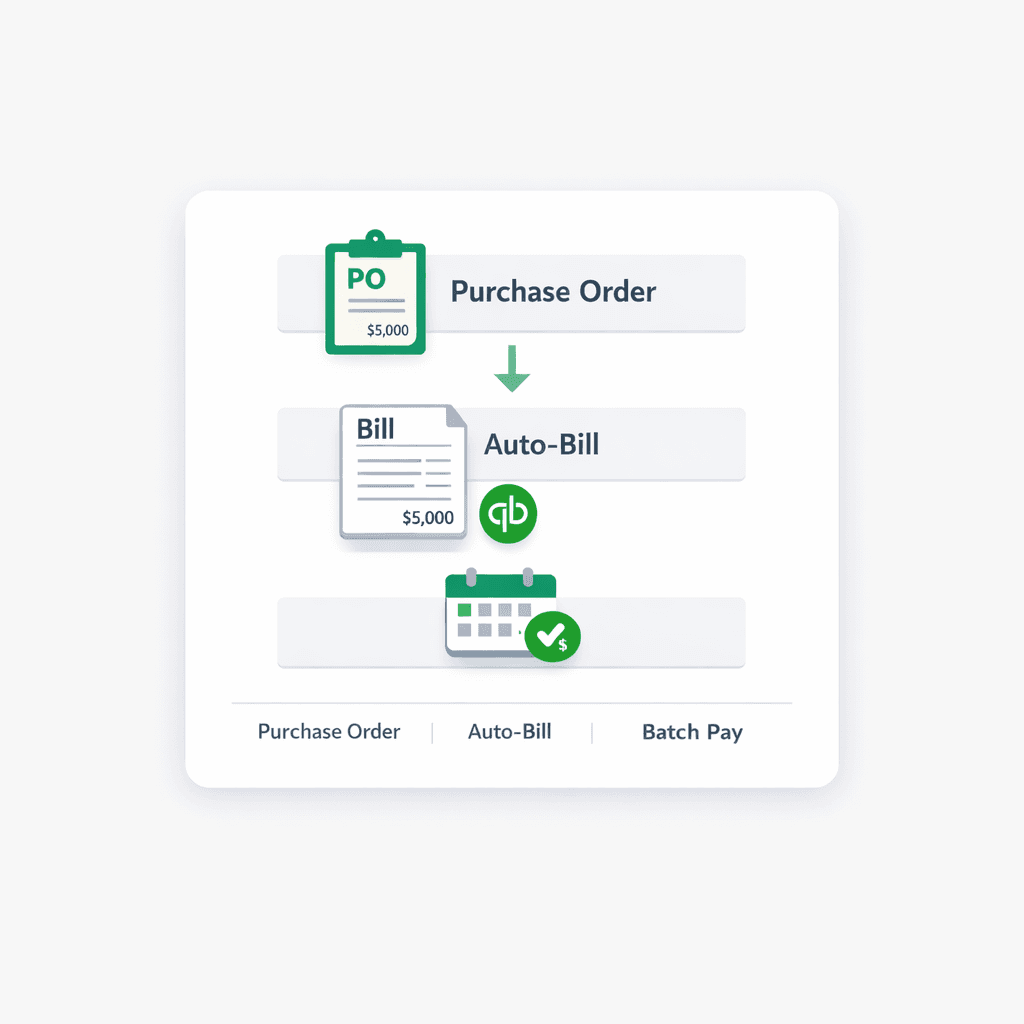
Mark a PO received in Cornerstone and it automatically creates the matching bill in QuickBooks, closes the PO, and sets the due date by your AP schedule — so on payday you batch-pay everyone in one approval run inside QuickBooks, not twelve separate bills.
Most builder AP workflows have a gap between the build and the books. A PO gets approved in the construction system, a bill lands in the email, someone re-enters it in QuickBooks, links it to the vendor, figures out when it's due, and files it away. Multiply that by 30 active homes and you're looking at hours of bookkeeper time every week that produces nothing — it just moves information that already existed somewhere else.
Cornerstone's AP automation closes that gap. The full purchasing workflow — task assignment, PO generation, vendor notification, bid tracking, approval — runs in Cornerstone. The accounting layer runs in QuickBooks. Between the two sits a tight, one-way sync that handles every step from commitment to payable without anyone touching a keyboard.
How does the two-stage AP flow work?
The accrual accounting lifecycle has two moments that matter: when you commit to a cost and when the cost is actually incurred. Cornerstone maps both.
The two-stage accounting flow
PO sent → Purchase Order in QuickBooks
When a PO is sent or approved in Cornerstone, it posts to QuickBooks Online as a Purchase Order — a commitment that appears in your books as outstanding. Drafts stay private. Only sent POs sync.
PO received → Bill auto-creates, PO closes
When the work is done and the PO is marked received, Cornerstone auto-creates the matching Bill in QuickBooks, linked to the original PO, which then closes automatically. No dangling open POs, no duplicate lines, no manual reconciliation.
Human pay gate: Cornerstone creates the bill — QuickBooks holds it for payment. Builder manually approves payment in QBO. Cornerstone never auto-pays.
For accrual-basis builders, this is the complete accounting lifecycle: commitment recorded when the PO goes out, liability recorded when the work is done. QuickBooks stays accurate at both stages with zero manual entry.
Setting your AP payment schedule
The other half of the AP loop is knowing when bills come due. Cornerstone lets you set a payment schedule so the due date computes automatically from the invoice or bill date and carries into QuickBooks. There are five schedule types:
Semi-monthly is the newest addition — two fixed paydays per month (say, the 1st and the 15th), keyed off the invoice or bill date. It's useful for builders who want to run AP twice a month without tracking individual Net-X day windows per vendor.
The due date carries automatically into the QuickBooks Bill when it's created. On payday, all bills due by that date appear together in QuickBooks for one manual payment run — no hunting across the vendor list.
What the full AP loop looks like end-to-end
The AP automation sits at the end of a complete purchasing workflow. Here's every step from task to payment:
- Task assigned in the build schedule. Cornerstone auto-generates a PO and emails it to the assigned vendor.
- PO sent → commits to QuickBooks as a Purchase Order. The outstanding commitment appears in your books immediately.
- Work completed → PO marked received. Auto-bill fires: the matching Bill appears in QuickBooks, linked to the PO, which closes.
- AP schedule sets the due date. Net-X, Weekly, Monthly, Bi-weekly, or Semi-monthly — the due date computes from the bill date and lands on the QuickBooks Bill automatically.
- Builder batch-pays on payday. All bills due by that date appear in one place in QuickBooks for manual approval. One run, one payday, no hunting.
The vendor's only job is to complete the work and send an invoice. Everything else — the PO, the commitment in QuickBooks, the bill on completion, the due date, the grouping on payday — happens without anyone re-entering a number.
Clean transaction memos and sync visibility
Every synced record carries a structured memo so transactions are traceable inside QuickBooks without cross-referencing Cornerstone:
Example Bill memo in QuickBooks
Community: Maple Ridge | Lot 14 | 847 Birchwood Ct
PO #1042 | Cost Code: Framing
Vendor: Precision Framing LLC
Community name, lot number, street address, PO number, and cost code — all in one line. Any bookkeeper can pull the transaction from the QBO register and know exactly which home it belongs to and which trade it covers.
For sync visibility, Accounting → Sync Events in Cornerstone shows every push to QuickBooks — timestamp, result status, and retry history if a push failed. You always know what landed and what's pending, without logging into QuickBooks to check manually.
Why one-way with a human pay gate?
Two-way sync sounds more capable on paper. In practice it creates silent bugs: an edit in QuickBooks writes back to Cornerstone and corrupts the job record that dozens of POs are attached to. Cornerstone keeps the flow one-way on purpose — approved records flow from Cornerstone to QuickBooks, and nothing comes back.
The human pay gate follows the same logic. Automating AP through to payment removes a check that matters: the builder reviewing the batch before money moves. Cornerstone creates the bills and sets the due dates — QuickBooks holds them for a final manual approval. That review step stays in place regardless of how automated the rest of the flow becomes.
What Cornerstone handles vs. what stays in QuickBooks
How this fits the broader purchasing platform
AP automation is the accounting layer at the end of a purchasing platform that starts well before any bill exists. Cornerstone's purchasing module covers the full cycle: vendor bid requests with auto-generated scope-filtered Excel templates, a no-login vendor portal for bid submission, side-by-side bid comparison, community-assigned vendor awards with locked pricing, and PO generation from the awarded bid. The QuickBooks AP loop is where that work lands in the books — cleanly, automatically, and without a bookkeeper in the middle.
Builders who are still re-keying POs into QuickBooks by hand, or who run AP by chasing individual bill emails, will find the end-to-end loop significant: task complete, PO generated, commitment in QuickBooks, bill on receipt, due date set, batch-pay on payday. The vendor's only job is to finish the work.
Close the loop from PO to paid.
Cornerstone PM handles the full AP cycle — auto-bill on completion, AP schedule due dates, clean QuickBooks memos, and one batch-pay run on payday. Request early access to see the purchasing workflow end-to-end.
Request Early Access