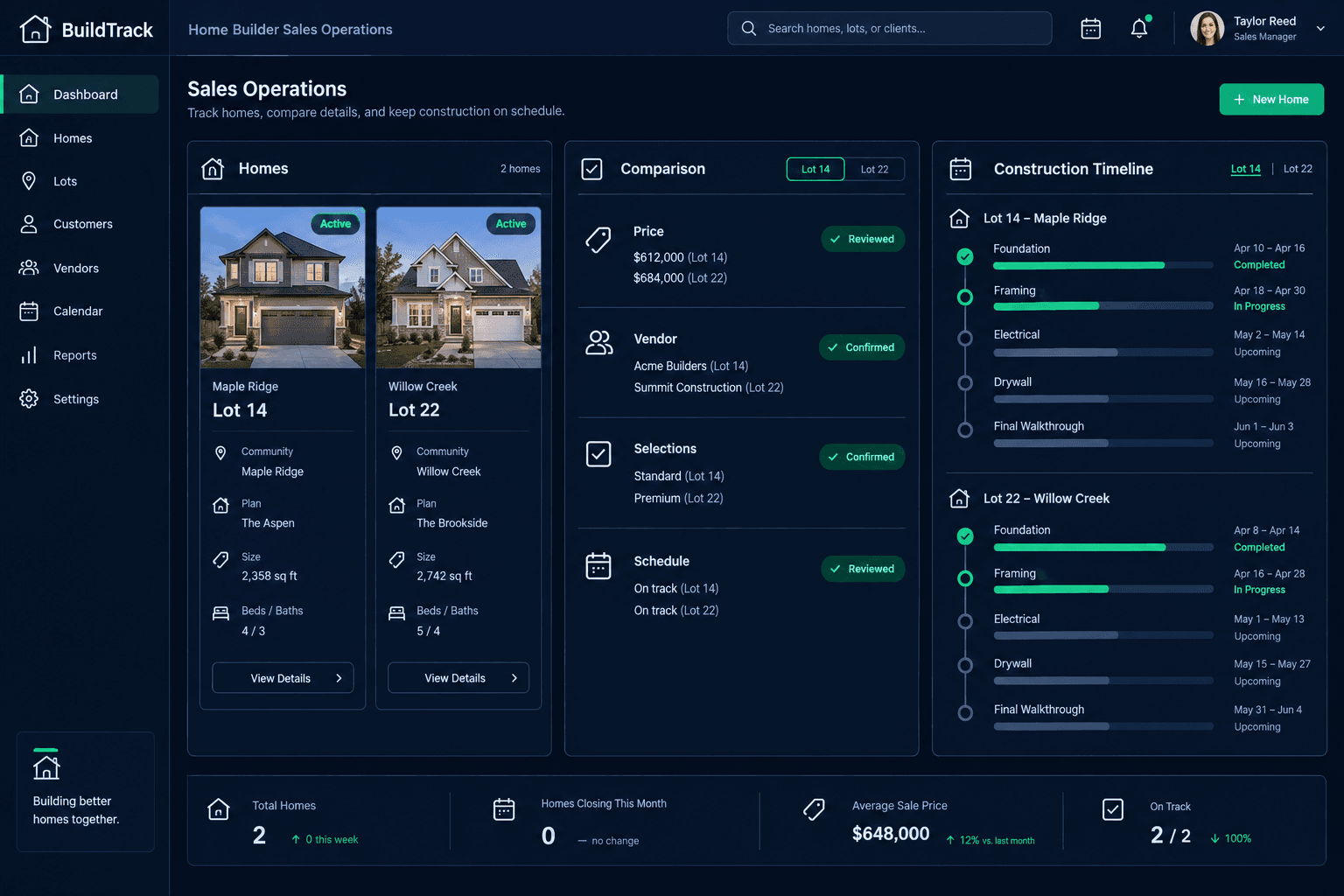
A Buyer Switches Lots Mid-Sale: What to Re-Check Before You Re-Price
When a buyer switches lots mid-sale, treat it as a new sale configuration, not a quick record edit — re-check the new lot's community pricing, vendor assignments, design selections, and schedule before you issue a new contract, inside the same project management platform you already use to run the build.
A buyer asking to move from Lot 14 to Lot 22 sounds like a small change. Sometimes it is — same community, same floorplan, same spec level, nothing else moves. But the moment the new lot sits in a different community, or the floorplan isn't offered the same way there, a lot switch quietly touches four separate systems: pricing, vendor assignment, design selections, and the schedule. Treating it as a one-line edit is how a builder ends up honoring a price, a vendor, or a selection that was never actually valid on the new lot.
What actually changes when a buyer switches lots?
It depends entirely on whether the new lot is inside the same community as the original. A same-community switch is usually low-risk: the spec level, area cost pricing, and awarded vendors typically stay the same, and the main thing to confirm is the schedule for the specific lot. A cross-community switch is where the real review starts, because community is the boundary that several Cornerstone systems key off of — not the floorplan, and not the buyer.
What the review checks
Community and spec level
Confirm which community the new lot sits in and what spec level applies there
Area cost pricing
Re-run the floorplan's base price and community-level adjustments for the new lot
Vendor award
Check whether the community-awarded vendor on the new lot matches the original
Design selections
Flag any selection tied to an option that isn't offered on the new lot or community
Home schedule
Confirm the new lot's own start date and trade sequencing instead of reusing the old one
Contract amendment
Document the switch as a new amendment with the reviewed numbers attached
Why does the same floorplan cost differently on the new lot?
Cornerstone prices a floorplan using the community's area cost adjustments on top of the base plan price — a Hawthorne in one community is not guaranteed to cost the same as a Hawthorne in another, even with identical square footage. That's intentional: land cost, lot premiums, and local vendor pricing genuinely differ by community. If the buyer's new lot is in a different community, re-pull the floorplan's price for that community specifically. Carrying over the original quote is a guess, not a number you can stand behind in the amended contract.
Do vendor assignments carry over to the new community?
Not automatically. Cornerstone awards vendors by community, so the framer, electrician, or HVAC contractor awarded in the buyer's original community is not necessarily the vendor awarded in the new one — a builder can run entirely different awarded vendors side by side across communities for the same trade. Before assuming the current scope and pricing hold, confirm which vendor is actually awarded on the new lot's community. If that vendor's pricing differs from the original, it flows into the same area cost review above, not around it.
A lot switch is not an automatic re-price
Cornerstone doesn't automatically recalculate pricing, reassign vendors, or carry selections forward when a buyer moves to a new lot. Each of those is a deliberate review step a sales or purchasing team member confirms by hand before the new contract goes out.
What happens to the buyer's design selections already made?
Walk through the buyer's existing design center selections against what's actually offered on the new lot. A structural option — a finished basement, a third-car garage, a bonus room — available on the original floorplan setup may not be offered the same way, or at the same price, under the new community's spec level. Selections tied to an option that still exists on the new lot generally carry forward cleanly; anything tied to an option that doesn't exist there needs the buyer to pick again before the home budget reflects reality.
How does the home schedule reset for the new lot?
The new lot is its own home record with its own schedule — it doesn't inherit the original lot's start date, permitting timeline, or trade sequencing just because the buyer and floorplan stayed the same. Confirm the new lot's actual schedule status independently, especially if the original lot was further along in permitting or had already started site work. Promising the buyer the old lot's timeline on a lot that hasn't broken ground yet sets an expectation the build can't meet.
How is a lot switch different from a same-community update?
A buyer moving to a different lot inside the same community is a narrower check — pricing and vendor awards typically stay constant, and the review mostly comes down to confirming the new lot's own schedule and that any lot-specific design options still line up. The full six-point review above matters most when the switch crosses communities, where pricing, vendor awards, and offered options can all move independently of each other. Knowing which kind of switch you're handling up front saves re-checking things that never actually changed.
Keep every lot switch on a clean, reviewed record.
Cornerstone PM keeps community pricing, vendor awards, design selections, and the home schedule linked to the lot — so your team reviews exactly what changed before a new contract goes out.
Request Early Access