ClickUp and monday.com for Home Builders: Where Generic PM Tools Break
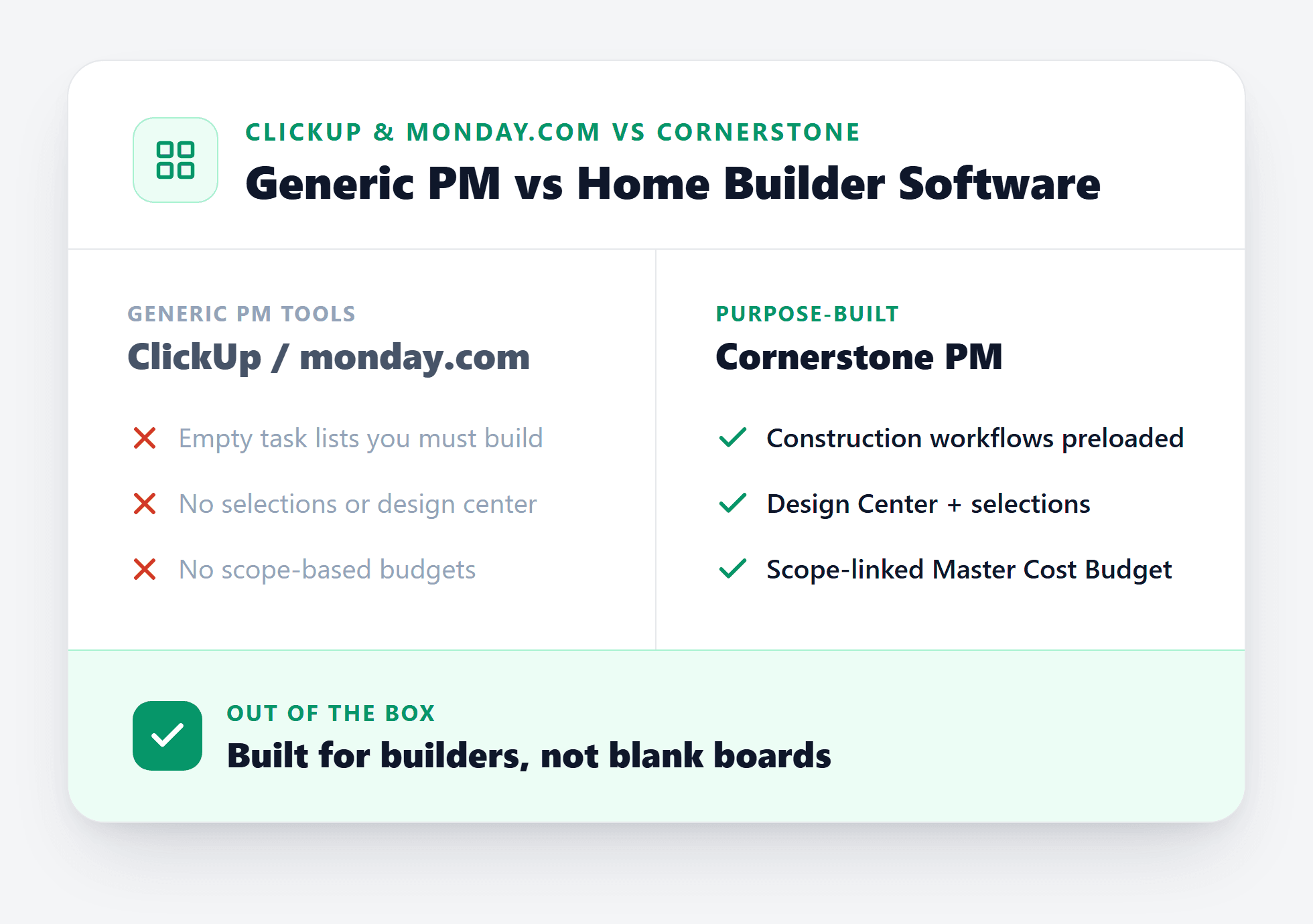
ClickUp and monday.com are excellent tools for marketing teams, dev sprints, and agency workflows. For production home builders, they hit six hard walls that no amount of templates, automations, or custom fields can fix. The issue isn't price or features — it's data model. Generic PM tools were never designed to think in floorplans, options, communities, and vendor scopes.
If you're a production builder evaluating software and ClickUp or monday.com showed up in your research, start with the category overview at home builder project management software to understand what purpose-built actually means for your workflow. The rest of this post walks through exactly where generic PM breaks for residential builders.
Why builders try ClickUp and monday.com in the first place
The appeal is real. ClickUp is free to start. monday.com costs about $9 per seat. Both have polished mobile apps, good notification systems, and enough flexibility that an enthusiastic ops person can build something that looks functional in a weekend.
Most builders who end up on these platforms got there through one of three paths: they came from a corporate or tech background and already used these tools; they couldn't justify the cost of vertical software before they hit scale; or a consultant recommended a “flexible platform” as a way to avoid committing to a more expensive solution.
The problems don't show up on day one. They show up six months in, when you're running 25 homes across two communities, your design center is still a shared Google Sheet, and your estimator has started maintaining a parallel spreadsheet because the ClickUp boards don't hold pricing data in a usable way. Here are the six walls every builder hits.
The 6 walls production builders hit with generic PM tools
Wall 1: No floorplan model
You can’t "plan repeat" a board. Every house is a fresh project, even if it’s the 50th Magnolia you’ve built.
Wall 2: No options pricing engine
Upgrade pricing lives in a separate spreadsheet. When framing rates change, you update the spreadsheet and forget to update the board.
Wall 3: No buyer design center
Selections happen over email or in-person. There’s no portal, no completion status, no auto-feed into purchasing.
Wall 4: No vendor bid templates
Sending scope to 10 vendors means 10 custom emails and 10 spreadsheets you manage manually.
Wall 5: No community/lot/model hierarchy
You can’t assign a vendor to Community A but not Community B. Every community is just another folder.
Wall 6: Generic AI, not construction AI
ChatGPT inside a board is still ChatGPT. It has no knowledge of your scopes, your vendors, your floorplans, or your purchasing workflow.
Wall 1 in depth: the plan repeat problem
Production home building runs on plan repeats. The Magnolia sells 50 times this year. The options — flooring, countertops, cabinets, structural upgrades — are priced at the plan level and reused for every home of that plan in every community you build it.
In ClickUp or monday.com, each house is a project. There is no plan-level abstraction. Every Magnolia you sell means manually copying the template board, re-entering or re-linking the options, and hoping your estimator updated the pricing on the template before you copied it. When framing rates change mid-season, you find out which boards got updated and which didn't after a contract is already signed.
Cornerstone PM™ prices options at the floorplan level with auto-quantity scope items that link directly to sqft measurements. Frame labor at $4.25 per sqft updates every Magnolia, every structural option, every community simultaneously when you change one rate. That's the difference between a data model built for production and a generic board.
Wall 3 in depth: no buyer design center
Every production builder needs a buyer-facing selection process. Buyers choose flooring, countertops, cabinets, upgrade packages, and structural options. Those choices drive purchasing, vendor orders, and final contract pricing.
In a generic PM tool, this process typically lives outside the tool entirely: a shared Google Sheet, a PDF checklist, or an in-person showroom session with notes that someone re-enters into the board later. There is no concept of a selection portal, a completion status, or automatic propagation from selection to purchase order.
Cornerstone PM™'s design center gives buyers a portal where they select from curated categories. 64 Designer Packages auto-lock category choices when a package is picked. Design-center exclusion groups let a buyer select Tile flooring and mark the entire flooring category complete — they don't get asked about Carpet, LVP, and Hardwood too. When selections are complete, they flow directly into purchasing. No re-entry. No separate spreadsheet. No selection that gets lost between the showroom and the purchase order.
Wall 6 in depth: the AI gap
Both ClickUp and monday.com have added AI assistants. These are generic large language models embedded in the UI — useful for summarizing task descriptions or drafting comments, but completely domain-blind when it comes to construction.
Ask ClickUp AI to compare two vendor bids against your scope items. It can't — it has no knowledge of your scope model, your vendors, or your pricing structure. Ask it to generate a purchase order from a takeoff. It can't — it doesn't understand what a takeoff is in the context of a home builder's workflow.
Cornerstone PM™ ships five AI agents bundled at no extra cost on Pro+:
- Foreman AI — 396+ construction skills covering purchasing, scheduling, vendor management, budget analysis, and profitability reporting. Foreman reads AND writes data — it takes real actions in the platform, not just answers questions. Two persistent memory layers (per-user and company-wide) mean Foreman knows your vendors, your build patterns, and your communication style from day one. ChatGPT has 5 tools. Foreman has 396.
- Blueprint AI — parses a floor plan PDF and extracts 130+ material scopes in under 60 seconds. See Blueprint AI →
- Bid Import AI — auto-maps vendor bid spreadsheets to your scope items. No manual column matching.
- AI MLS Listing Generator — generates listing copy directly from your floorplan and options data.
- AI Support Agent — answers platform questions in context without leaving your workflow.
The AI in ClickUp knows what a task is. Foreman AI knows what a purchase order, a vendor scope, a structural option, a floorplan, and a community are — because it was built on top of a platform that models them natively.
What about the REST API and integrations?
ClickUp and monday.com both have APIs and integration ecosystems (Zapier, Make, native webhooks). These are genuinely useful for connecting generic tools together.
Cornerstone PM™'s Pro+ plan ships a different kind of integration layer:
- 150+ REST API endpoints including 84 dedicated routes across 3 schema formats (Anthropic, OpenAI, OpenAPI 3.1)
- BYOA (Bring Your Own AI Agent) — every API endpoint maps to one of Foreman's 396+ skills. Ship a new Foreman skill and your BYOA agent gets it automatically, no configuration required
- 37 named webhook events with typed payloads, HMAC signatures, delivery logs, and auto-retry
- A built-in MCP server in app settings that lets Claude Desktop, Cursor, and Windsurf connect directly to Foreman's skill catalog
The Zapier automation you build on top of monday.com for vendor notifications is approximating something that Cornerstone PM™ ships as a named webhook event with a typed payload. These are different levels of the stack.
The honest TCO comparison
Generic PM tools look cheaper on the pricing page. The real cost calculation for a production builder looks different:
| Cost item | ClickUp / monday | Cornerstone PM™ |
|---|---|---|
| Monthly platform fee (10-seat team) | $90–$200 | $199–$599 |
| Parallel spreadsheets maintained | 4–8 live sheets | 0 |
| Hours/week re-entering selections data | 3–6 hrs | ~0 |
| Pricing errors per 50 homes (estimated) | 3–8 errors | Near 0 |
| AI material takeoff | ||
| Buyer-facing design center portal | ||
| Construction-domain AI (396+ skills) |
On a 50-home/year build schedule, a single pricing error on a $400k house costs more than a year of Cornerstone PM™ Pro+. The math on purpose-built software changes quickly once you account for what generic tools force you to do manually.
What to look for when you leave generic PM behind
When evaluating purpose-built home builder platforms, verify these six capabilities before signing anything:
- Native floorplan and plan-repeat model — options priced at the plan level, not the job level
- Buyer-facing design center — not a shared doc or email thread
- Auto-quantity scope items — sqft-linked pricing that updates every plan automatically when rates change
- Multi-community vendor management — vendor assignments and bid awards per scope per community
- Construction-domain AI — not generic chat bolted to a board
- API/BYOA layer — if automation matters to you, check that it maps to your actual construction workflows, not just generic task events
The home builder project management software guide covers these criteria in detail and compares how Buildertrend, NEWSTAR, JobTread, and Cornerstone PM™ stack up across each one.
Stop rebuilding the same boards. Start building on a model that fits.
Cornerstone PM™ was built from the ground up for production home builders — floorplans, design center, auto-quantity scope items, 64 Designer Packages, and Foreman AI with 396+ construction skills. No spreadsheet required.
Request Early Access →