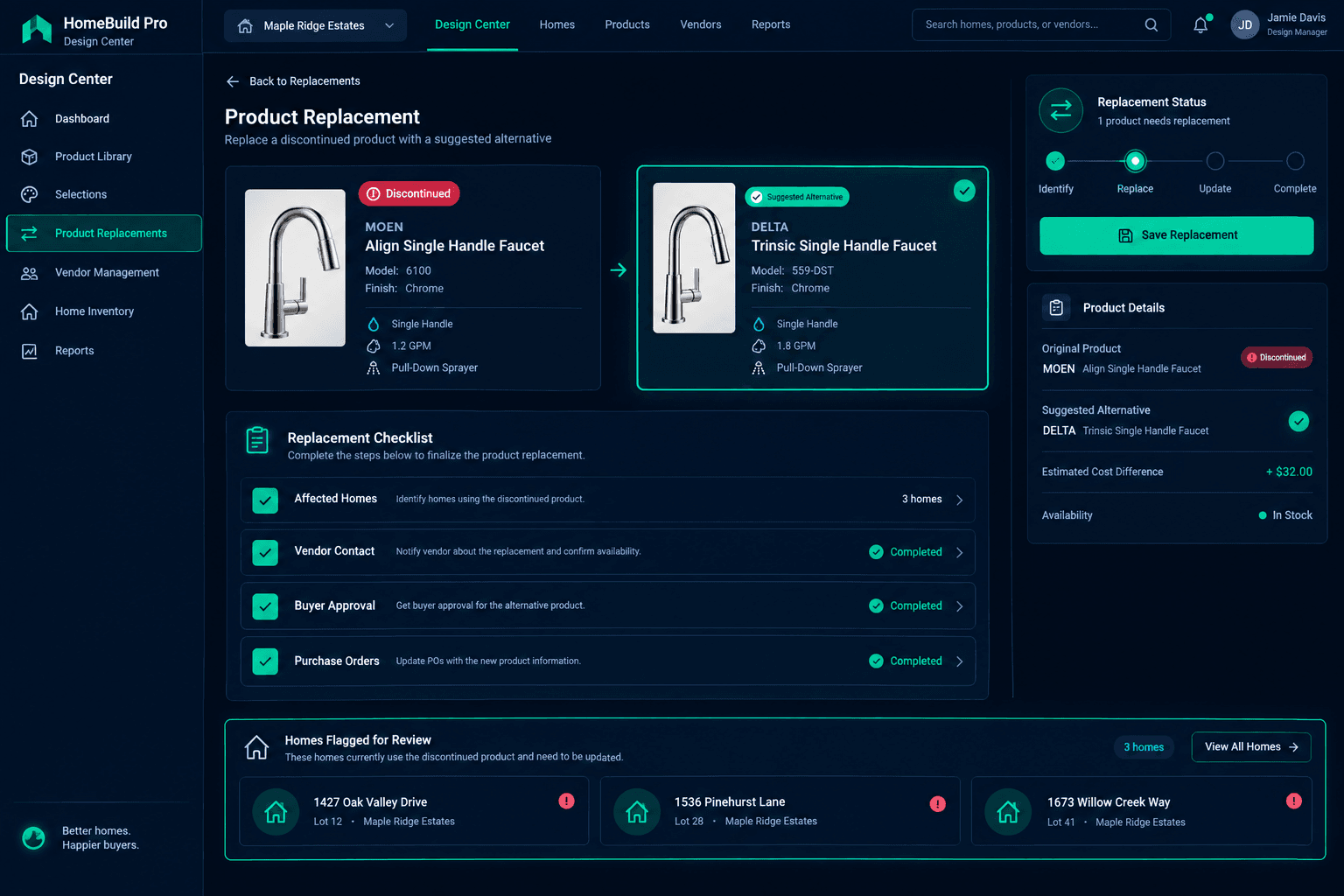
The Selected Faucet Was Discontinued: A Replacement Checklist for Builders
When a vendor discontinues a product a buyer already selected, the fix isn't a catalog edit — it's a review, home by home: confirm who's affected, line up an accepted-price alternative, get buyer sign-off, and check purchasing before calling the substitution final. Cornerstone PM's Design Center gives you the selection records, accepted pricing, and order history to run that review — but the decision stays with your team.
The email usually shows up mid-week, from a vendor rep who buries the important part halfway down: the faucet, the tile, the cabinet pull your buyers have been selecting for months is being discontinued. Maybe it's the whole SKU. Maybe it's just one finish. Either way, every home that selected it now needs a decision, and the decision needs to happen before the next purchase order goes out.
What does "discontinued" actually mean for this replacement?
Before doing anything else, get the discontinuation in writing and find out exactly what changed. A vendor discontinuing a whole product line is a different problem than one finish going out of stock, or a temporary supply gap that resolves in six weeks. Each version points to a different response — a permanent discontinuation needs a real replacement selected now, while a supply delay might just need a timeline conversation with affected buyers.
Which homes actually have this option selected?
This is the step that's easy to underestimate. A production builder selling the same floorplan across multiple communities can have a single discontinued option sitting on selection records for a dozen homes at wildly different stages — some still weeks from framing, others with trim already scheduled. Pull the selection records for that specific option and see exactly which homes have it, and how far along each one is.
Affected homes
Every home with the discontinued option on its selection record — grouped by stage, so you can see which ones need an answer this week versus which have time.
Orders already in motion
Whether a purchase order on any of those homes already references the old product — a different problem than a selection that hasn't been ordered yet.
What alternative is the vendor actually offering?
Ask the vendor directly for their recommended replacement or closest equivalent, and get an accepted price on it before you present anything to a buyer. Cornerstone PM won't let a design option run on a placeholder number — the alternative needs its own accepted vendor pricing before it's a real option, not just a suggestion in an email thread. If the replacement costs more or less than the original, that difference is part of what the buyer needs to see.
Why does every home need its own buyer approval?
A substitution changes what the buyer chose, even when the replacement is a close match. Skipping individual approval and sending a general "the faucet changed" notice feels efficient, but it leaves you without a record of what any specific buyer actually agreed to — which matters most on homes further along, where the buyer may have already seen the original product in a model home or a spec sheet.
Notification isn't approval
Telling a buyer the product changed is not the same as getting their sign-off on the specific replacement and any price difference. Record the approval per home.
One conversation, one record
Present the alternative, the spec difference, and the price difference together, and log the buyer's answer against that home's selection.
What happens to a purchase order that already has the old product on it?
Check PO status before assuming a substitution is a clean swap. An order that hasn't been released to the vendor yet is usually a straightforward correction — update the line item and move on. An order already placed or acknowledged by the vendor is a different conversation: canceling or amending an issued PO is a vendor-side decision, and it needs to happen directly with the vendor, not by assuming the catalog change resolves it on its own.
What this checklist doesn't do automatically
None of this happens on its own. Cornerstone PM does not monitor vendor stock levels, auto-detect a discontinuation, or bulk-swap an option across every affected home the moment you update the master catalog. What it gives you is the visibility to run the review properly: which homes have the option selected, what price is accepted for the replacement, and whether an order already exists for the old product. Updating the master catalog entry so future selections point to the in-stock alternative is a separate step from resolving the homes that already locked in the original choice — each of those still needs its own pass through this checklist before the substitution is final.
Treat a discontinuation notice as a trigger to run the review, not as a reason to panic-swap a product across your active homes. Confirm the details, find every home it touches, get a priced alternative, get buyer approval per home, and check purchasing before closing it out. It's a checklist, not a feature — but running it consistently is what keeps a vendor's bad week from becoming a builder's bad month.
See exactly which homes a discontinued option affects
Cornerstone PM's Design Center ties every selection to a specific home, so a discontinued product becomes a short list to review — not a guessing game across your whole community.
Request Early Access