How Blueprint AI Extracts 130+ Material Scopes from a Floor Plan PDF
AI material takeoff works by running a floor plan PDF through a four-stage pipeline: geometry parsing, fixture detection, scope mapping, and vendor pricing lookup — producing 130+ named material scopes in under 60 seconds.
If you've heard that Blueprint AI can pull a full material scope list from a floor plan in the time it takes to pour a cup of coffee, you might have wondered: how does that actually work? This post walks through the mechanics — no marketing gloss, just the real pipeline from PDF upload to vendor-ready scope list.
What does “130+ material scopes” actually mean?
A material scope is a bucket that maps directly to a trade and a vendor category: Concrete Foundation, Framing Lumber, Exterior Windows, Interior Doors, HVAC Equipment, Plumbing Rough, Electrical Rough — and so on out to 130+ named scopes for a fully specified residential home.
Traditional estimators build this scope list manually: read the plan, cross-reference spec sheets, enter quantities by hand. That process takes 4–8 hours per floor plan. Blueprint AI produces the same scope list from the PDF in under 60 seconds. Here's the step-by-step of how it gets there.
Step 1: Floor plan ingestion and geometry parsing
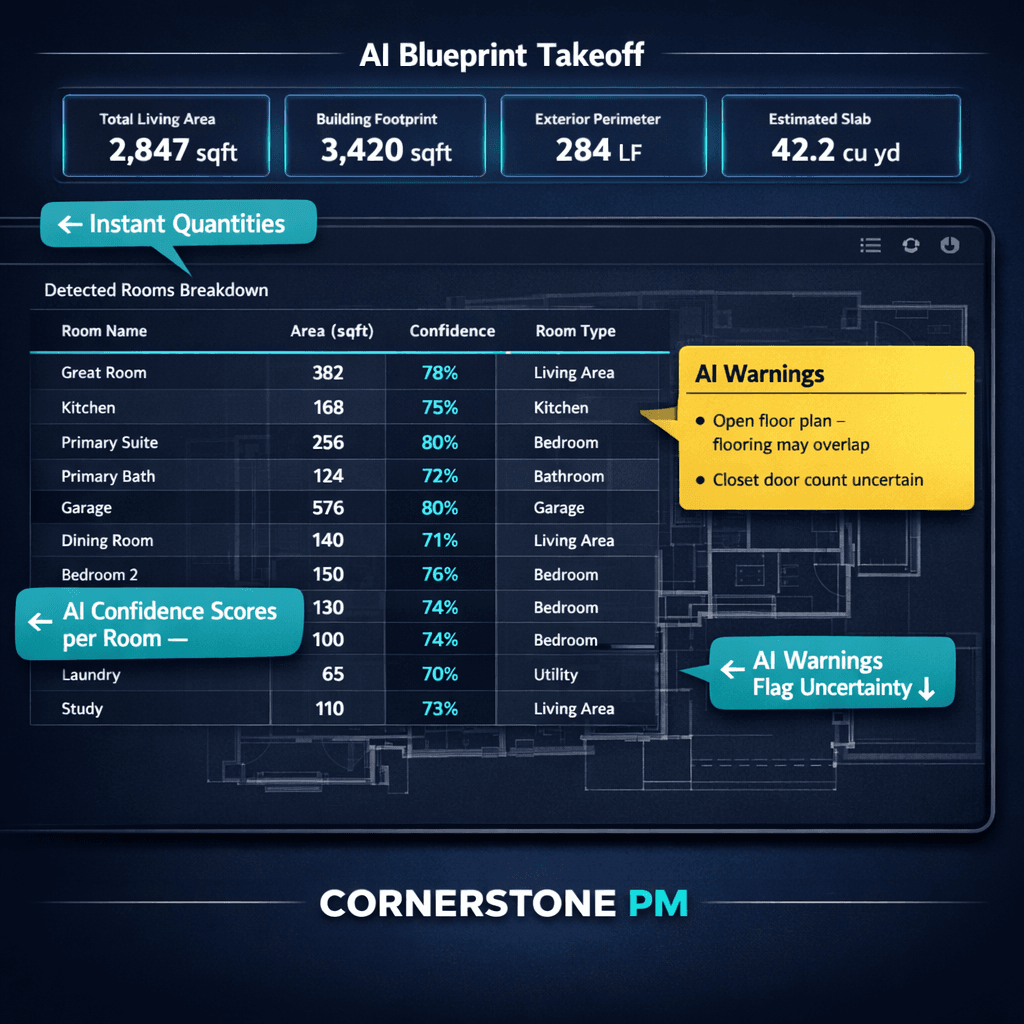
When a builder uploads a floor plan PDF, Blueprint AI starts with geometry — not text. The AI reads the vector or raster content of the file to detect:
- Rooms and their footprint dimensions — length, width, and total square footage per space
- Wall segments — interior vs. exterior, thickness, and linear footage
- Door and window openings — count, size, and position within each wall run
- Ceiling heights — pulled from notation layers or standardized defaults when not annotated
This geometry pass builds a spatial model of the home before any scope mapping happens. Every quantity calculation downstream traces back to this layer. When the lumber scope outputs “2,184 linear feet of exterior wall framing,” that number is derived from the floor plan geometry — not from a table of generic assumptions.
Step 2: Fixture and element detection
With geometry in hand, the AI moves to element extraction: identifying every fixture, appliance, system component, and structural element called out in the plan.
Kitchen and bath fixtures
Sinks, tubs, showers, toilets, and vanities are detected by label and by geometry pattern. A 5×8 wet area adjacent to the primary suite isn't ambiguous — the AI recognizes the footprint and maps it to the correct plumbing and tile scopes.
Electrical and mechanical elements
Outlet counts, panel notation, circuit annotations, mechanical room footprint, duct routing indicators, and HVAC equipment specs are pulled where present in the plan layer. Where not explicitly annotated, scope quantities are derived from room-by-room standard calculations based on square footage and fixture count.
Structural elements
Beams, posts, stair runs, garage door openings, and fireplace chases are identified both from explicit labels and from structural geometry patterns. Each feeds into the relevant framing, masonry, or specialty scope.
Step 3: Scope mapping and quantity calculation
The output from steps 1 and 2 feeds into Blueprint AI's scope mapping engine. Each detected element maps to one or more material scopes, with calculated quantities:
| Detected element | Mapped scope | Quantity output |
|---|---|---|
| Exterior wall footage | Framing Lumber | LF + stud count |
| Window openings (count + size) | Exterior Windows | Unit count + sq ft |
| Bathroom wet areas | Tile (Floor + Wall) | Sq ft per zone |
| Kitchen fixture set | Plumbing Rough | Point count |
| Roof geometry + pitch | Roofing Material | Sq ft + pitch factor |
One floor plan generates 130+ of these mappings in a single pass. The scope list is structured in the same categories used by your vendor bid templates — meaning the Framing scope flows directly into bid requests for framing subs, not into a separate manual data entry step.
Step 4: Vendor pricing lookup and budget assembly
Once scopes and quantities are calculated, Blueprint AI cross-references your community's active vendor pricing (or current catalog pricing if vendor bids haven't been collected yet for that community). Each scope line gets a unit cost applied, producing a draft budget that flows directly into the Master Cost Budget.
For builders running multiple plan types across multiple communities, this is the multiplier: run the takeoff once per plan type, then apply the pricing structure for each community. The Magnolia plan takeoff runs in 60 seconds and inherits Community A's framing vendor and Community B's framing vendor automatically — no re-entry required.
Why this matters for plan revisions
One underrated benefit of AI-driven takeoff is revision handling. When an architect sends a plan revision — say, the primary bath gets upgraded from a tub/shower combo to a standalone soaker tub — a manual estimator has to diff the two PDFs by hand and adjust scope quantities individually. That's 30–90 minutes of tedious work per revision, and it's a common source of pricing errors when the diff gets missed.
Blueprint AI re-runs the full pipeline on the revised PDF. Changed quantities surface automatically. For a builder carrying 8 active plan types and running 10–15 revisions per year, that's 40–80 estimator hours saved on revision tracking alone — before counting the initial takeoff time.
From 8 hours to 60 seconds
The complete pipeline — geometry parsing, element detection, scope mapping, quantity calculation, and vendor pricing lookup — runs in under 60 seconds for a standard 2,000–3,500 sq ft residential floor plan. For a builder carrying 8 active plan types, that's roughly 40 minutes of total takeoff work where it used to be 32–64 hours.
The scopes are vendor-ready, budget-linked, and revision-safe by default. That's what purpose-built AI material takeoff actually delivers — not a smarter spreadsheet, but a pipeline that collapses a multi-day workflow into a single upload. Learn more about the full takeoff workflow on the Blueprint AI page.
See Blueprint AI run a takeoff on your floor plans.
Cornerstone PM™ ships with Blueprint AI built-in — no third-party takeoff subscription, no manual scope entry. Upload a PDF and get 130+ material scopes, quantities, and pricing in under 60 seconds. Beta access is open and early adopters get two years free.
Request Beta Access