Microsoft Planner vs Cornerstone PM: Task Plans or Homebuilding Workflows?
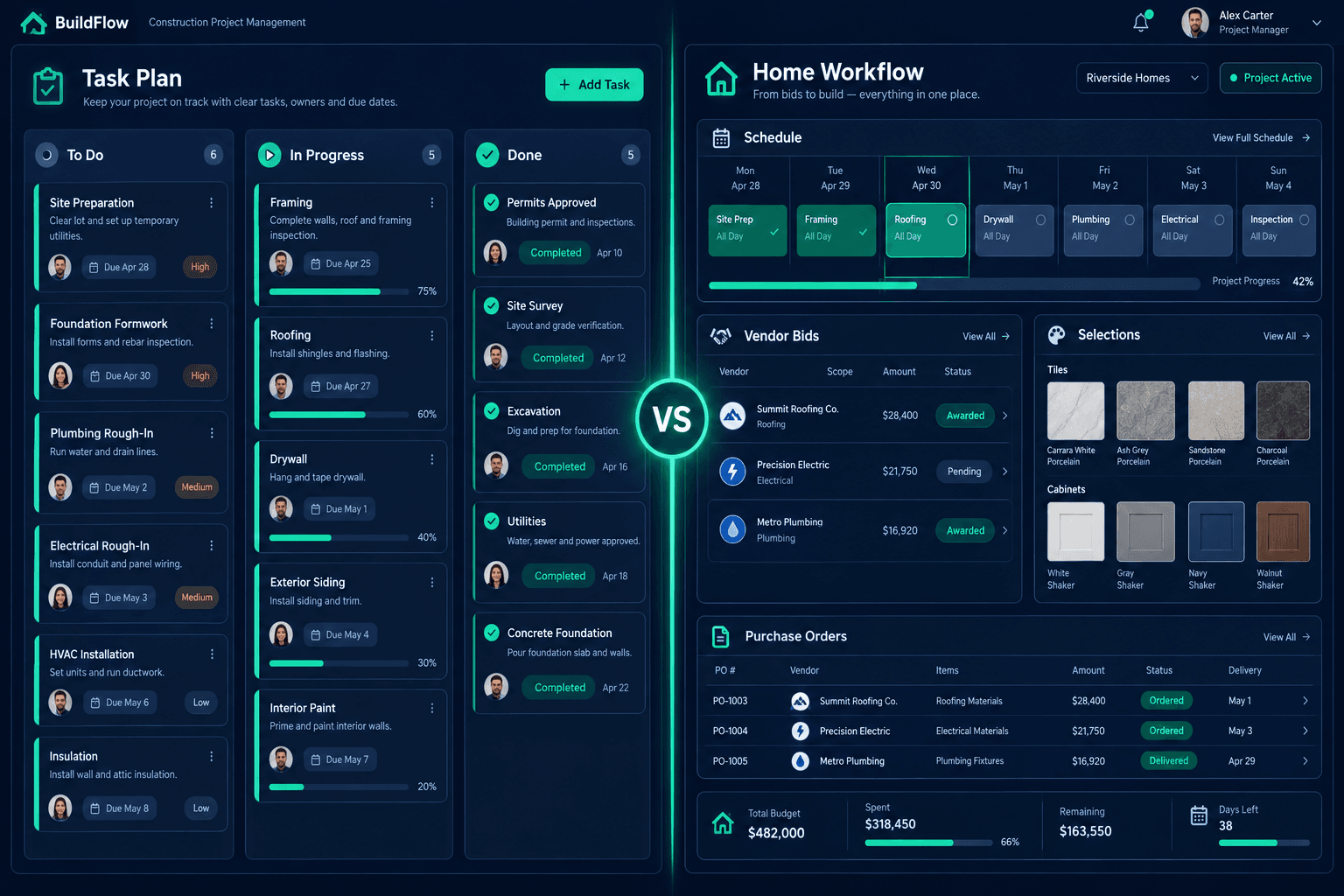
Microsoft Planner organizes team tasks and projects; Cornerstone PM™ connects the records behind a home: schedules, vendor bids, accepted pricing, purchasing, and buyer selections. The right choice depends on whether your hardest problem is tracking work or keeping those home records consistent.
This is not a takedown. Planner is a real task and project management product, and plenty of builders already have it through Microsoft 365. The useful question is what your team would manage natively and what it would have to configure or connect. For the category overview, see home builder project management software.
What is Microsoft Planner built to do?
Per Microsoft's public product page, Planner brings to-do lists, tasks, plans, and projects into one place across Microsoft 365, with My Day, My Tasks, and My Plans views. Planner in Microsoft 365 includes Grid, Board, Schedule, and Charts views plus Microsoft Teams integration.
Capabilities vary by plan. Planner Plan 1 lists task dependencies, a Timeline (Gantt) view, reports, backlogs, sprints, and project goals. Planner and Project Plan 3 adds advanced dependencies with lead and lag, resource requests, and task history. Verify current details on Microsoft's site, because plans change.
That is a broad toolkit for organizing who does what by when. Microsoft describes templates for marketing, sales, IT, HR, and operations; the page presents Planner as a general work tool for any industry.
Where does a home builder's work differ from a task list?
A production builder's tasks are attached to records that carry money and commitments. Consider one framing step on one home:
- The schedule sets when the framer is expected on the lot, and a slip should reach every trade after it.
- The bid shows which vendor was invited, what they quoted, and whether the quote matches the scope.
- The accepted price is the number the budget and purchase order should reflect for that community.
- The buyer's selections change what gets ordered and installed.
A task can point at each of those, but the task is not the bid, the price, or the selection. In a general tool, the team decides where each lives and who keeps them in sync.
What would your team manage natively vs. configure or connect?
Walk one home through both tools. The pattern below is a way to evaluate, not a claim about what Planner cannot be made to do.
- Task assignment and due dates: Planner is built for this. Cornerstone PM includes home schedules with trade tasks and cascade updates when a date moves.
- Vendor bid requests: In Planner, a team would likely track invitations in tasks, email, or attachments. In Cornerstone PM, scope-filtered bid requests go to vendors, who respond through a portal with no login required.
- Accepted pricing: A builder using Planner would record the awarded number somewhere and carry it to budgets and purchase orders by hand or by integration. Cornerstone PM locks awarded pricing and uses it downstream.
- Buyer selections:Planner could hold a checklist item per selection. Cornerstone PM's design center gives buyers a selections experience tied to options and pricing.
- Purchasing: Cornerstone PM's purchasing workflow carries the awarded bid into purchase orders instead of retyping it.
What does a connected workflow change in practice?
Imagine the electrician's quote changes after award. With separate tools, someone updates a task note, someone else edits the budget, and the purchase order may still show the old figure. With one connected record, the change is visible where the schedule, budget, and commitment all read from it.
None of this removes the need for good habits. It changes where the habit lives: in the system's structure rather than in a team agreement about naming and copy-and-paste.
Who should use which?
Planner fits teams already standardized on Microsoft 365 who mostly need shared task lists, office projects, or department plans, and who are comfortable building their own structure for builder-specific records.
Cornerstone PM fits builders repeating floorplans across communities who want schedules, bids, accepted pricing, purchasing, and selections to share one record. Some teams will reasonably use both: Planner for internal projects, Cornerstone PM for the homes.
How do you test the difference?
Pick one real home and one trade. Track an invitation, a quote, an award, a purchase order, and one buyer selection in your current setup. Count the places you typed the same fact twice. Then see the same path in a connected platform. Return to the project management hub for the full workflow map.
See one home run end to end
Walk a real community through schedules, bids, accepted pricing, and selections in Cornerstone PM™.
Request Early Access →