The Model Home Sign-In Sheet Is Costing You Leads
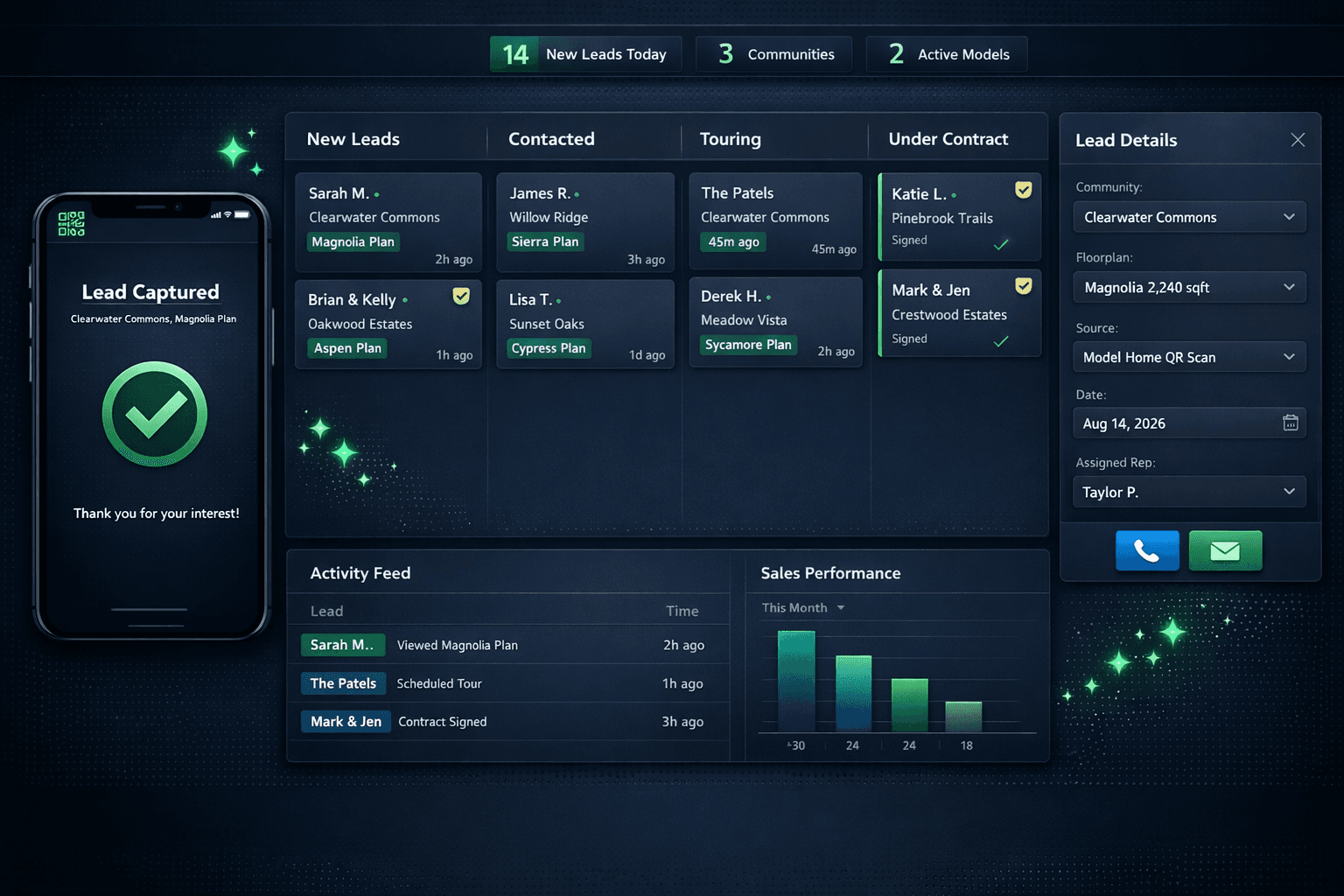
A QR code at the model home entrance captures every walk-in as a named, attributed lead the moment they scan — no clipboard, no transcription, no cold call two days later. Cornerstone's sales pipeline connects that lead directly to the right community, the right rep, and eventually the design center where the buyer makes selections.
The clipboard by the model home door has been there so long that most builders treat it as permanent infrastructure. It is not. It is a lead- generation hole, and the buyers who walk through your model home and write a phone number on a paper sheet are not in your pipeline — they are in a stack of paper that may or may not make it to a spreadsheet before the week is out.
Where does the paper sign-in sheet actually leak?
The lead does not disappear in one dramatic moment. It leaks across five smaller failures, any one of which is enough to lose the contact.
Where paper sign-in sheets lose leads
Illegible handwriting
Half the names and phone numbers on a paper sheet are unusable by Monday
Delayed transcription
The rep who collected the clipboard may not enter it for days — or at all
No community attribution
You know someone visited, but not which community, which model, or which day drove them there
Cold leads by follow-up time
A lead that goes uncontacted for 48 hours converts at a fraction of one touched within the hour
No rep assignment
Walk-ins often fall through the cracks when there is no automatic routing to the right sales agent
The result is that a builder who runs a busy model home on a weekend might collect thirty names on paper and have ten usable leads to call on Monday. The other twenty paid to drive to the model, walk through, and get interested — and then nothing.
How does QR lead capture work at a model home?
Cornerstone generates a QR code for each model home in each community. A builder posts it at the entrance — on a sign, on a door, on a table by the brochures — and the buyer scans it with their phone camera.
No app download. No Cornerstone account. The scan opens a lightweight web page where the buyer enters their name, phone, and email. When they submit, Cornerstone creates a lead record instantly, stamped with the community name, the model home, the floorplan of interest, the date, and the time. The lead is already attributed before anyone picks up the phone to follow up.
Lead created via model home QR scan
Lead created instantly — no manual entry, no transcription delay
Why does attribution matter for production builders?
Generic CRM tools tell you someone became a lead. Cornerstone tells you which community, which model, and which floorplan drove that interest — because the QR code is tied to a specific model in a specific community, not just a generic sign-in page.
That attribution changes how builders manage inventory, marketing spend, and rep assignment. If Clearwater Commons is generating twice the walk-in traffic of Meadow Vista, that is a routing and staffing signal, not just a curiosity. If the Magnolia model is drawing buyers who ultimately contract on the Sierra plan, that is a merchandising insight.
Production home builders run multiple communities simultaneously, and knowing which community and model drove a lead is as important as capturing the lead at all. A paper sheet with no community field cannot give you that.
How does the lead connect to the rest of the platform?
The model home QR lead flows directly into Cornerstone's sales pipeline, where it moves through stages — New Lead, Contacted, Touring, Under Contract — with the assigned rep tracking conversations and next steps. When the buyer is ready to make selections, the same record carries into the design center, so the rep does not re-enter contact or community information at the handoff.
Notification preferences are per-user and role-based, so the rep assigned to Clearwater Commons gets an alert when a new lead arrives at that community's model — not a broadcast to the whole sales team. The right person follows up within minutes, not days.
For builders running QR codes on the operations side — the vendor jobsite check-in QR that GPS-stamps trade arrivals — the model home QR is the same no-account, no-app design principle applied to the sales side. Outside parties — buyers and vendors alike — should never need a login to interact with your operation.
What model home QR lead capture gives you
Instant lead record
Created at scan time — no transcription, no delay
Community and model attribution
Every lead tagged with exactly where they visited
Automatic rep assignment
Route by community so the right agent follows up
No buyer friction
Phone camera + short form — no app, no account
Pipeline connection
Flows into the sales pipeline and eventually the design center
Every walk-in, captured — before they reach the parking lot.
Replace the clipboard with a QR code that routes walk-in traffic directly into your Cornerstone sales pipeline, attributed to the right community and rep, with zero data entry.
Request Early Access