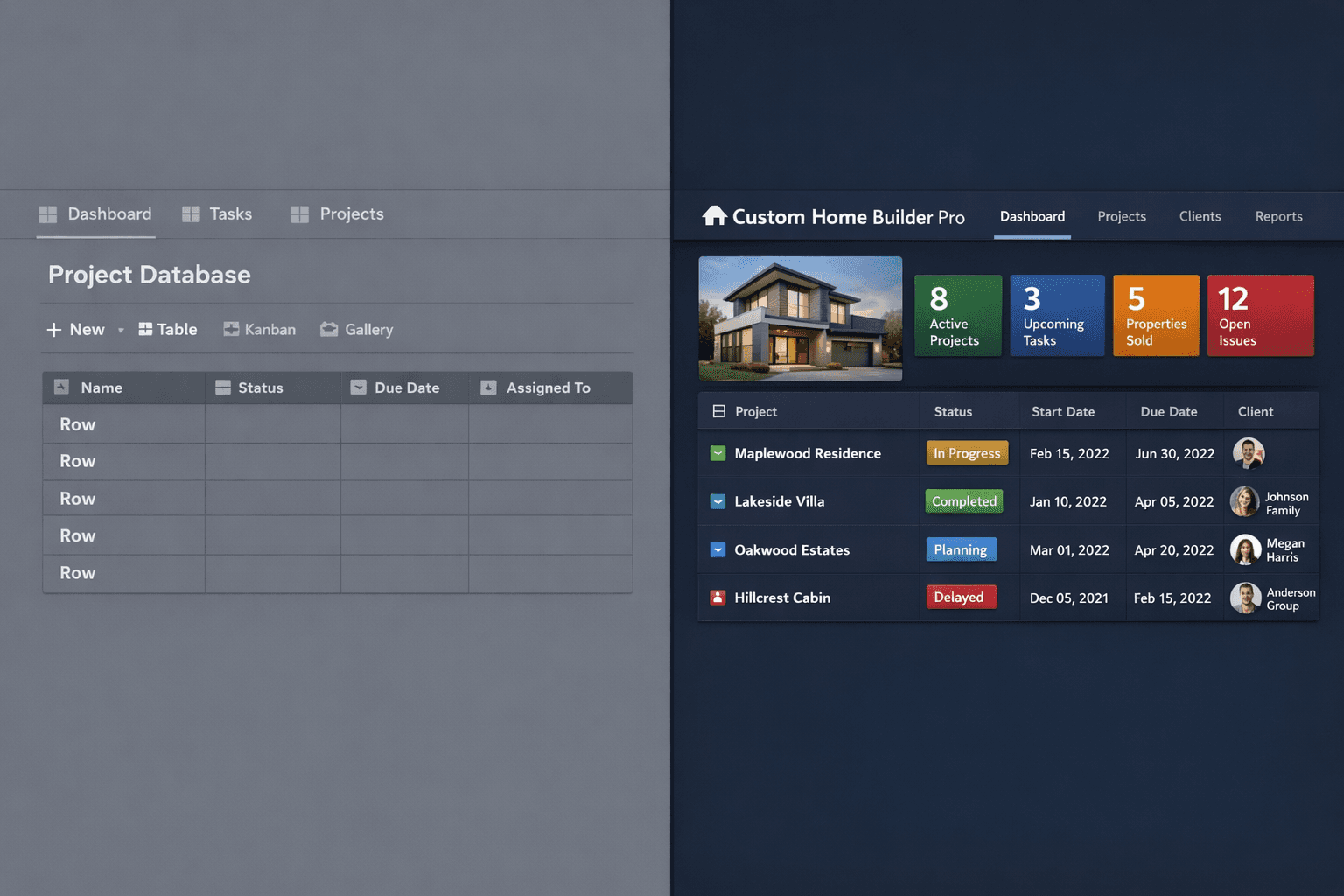
Notion and Airtable vs. Purpose-Built Home Builder Software
Notion and Airtable can model almost anything — and that is exactly the problem. A sharp ops person can build an impressively elaborate community-and-lot database in an afternoon. Then the framing trade slips three days, and nobody downstream is notified, no vendor gets a new date, and the purchase order still has to be typed by hand into QuickBooks. Cornerstone PM is built for production home builders — which means the construction workflow is structural, not a custom database someone maintains.
This comparison is not a takedown. Notion and Airtable are excellent at flexible documentation, relational databases, and cross-team wikis. The argument is about where the system of record for a production build should live — and what happens to the team when the person who built the workspace eventually leaves.
What Notion and Airtable do well for builders
Give them genuine credit: both tools are far better than a private spreadsheet. Multiple people can edit simultaneously. Relations let you link a vendor record to multiple community records. Views filter down to what one role needs to see. Notion's block editor makes it easy to store scopes of work, vendor contacts, and onboarding documents in one place. Airtable's automations can fire a Slack message when a field changes.
For a very small builder running one or two custom homes a year, that flexibility covers real gaps. The problems accumulate as soon as the business looks like production: the same floorplans repeating across communities, buyer selections managed at the plan level, and vendor bids cycling through every season.
What flexibility cannot produce
Six things a flexible workspace cannot do for a production home builder, no matter how the database is structured:
1. Takeoff.Quantities have to come from somewhere. In a flexible workspace, they are typed by hand — which means they are wrong whenever the plan set changes and whoever re-measures is willing to re-measure. Cornerstone PM's Blueprint AI takeoff reads the plan set and extracts material scopes in under sixty seconds, and scope items auto-calculate against room-level floorplan square footage so every plan revision reprices automatically.
2. Cascade scheduling. When foundation slips four days, every downstream trade is affected. A flexible workspace has no concept of task dependency — someone has to open each affected record, update the date, and then separately notify the vendor. Cornerstone PM adjusts downstream tasks automatically when one trade slips and sends date notifications to affected vendors without anyone coordinating by email.
3. A vendor portal.If subcontractors need to submit bids or receive scoped bid templates, they either need accounts in the workspace or the whole process runs through email. Cornerstone PM's vendor portal is token-protected and needs no login — vendors click a link from their email, download a scope-filtered Excel template showing only their trade, upload their bid, and submit. The bid locks after acceptance so neither side can quietly revise the number.
4. A design center. Buyer selections in a flexible workspace are a table. They cannot enforce that Carpet and Tile are mutually exclusive options for the same room, they cannot price selections at the floorplan level and reuse them across every sale of that plan, and they cannot distinguish what is included at standard from what is a paid upgrade in a specific community. Cornerstone's production design center manages 64 curated Designer Packages, exclusion groups that make conflicting picks structurally impossible, and spec-level control down to the individual option.
5. Accounting sync. A completed record in Notion is still a completed record. Someone still has to write the purchase order, send it to the vendor, and re-key it into QuickBooks. Cornerstone PM auto-generates and emails the PO when the task completes, then posts it to QuickBooks Online as a commitment entry — with community, lot, address, PO number, and cost code in the transaction memo — so the bookkeeper can trace any QuickBooks line back to the exact home and trade without leaving QBO.
6. Ownership. A custom workspace is a product with exactly one maintainer. Every formula, every automation, every linked view is a rule that person hand-built and only they understand. When they leave — and at some point they will — the builder inherits an undocumented system that nobody else can extend. Purpose-built software encodes the production workflow structurally, so cascade scheduling, auto-PO generation, and vendor awards work the same whether the person who configured them is still on the team or not.
Feature comparison
The API and automation argument
Airtable in particular markets heavily on automations and API access. Those capabilities are real — and Cornerstone PM ships a deeper automation layer on top of a purpose-built construction data model.
Cornerstone ships 37 typed webhook events with HMAC signatures and delivery logs — covering home lifecycle, task and schedule changes, vendor notifications, bid requests, and sales pipeline transitions. A builder can pipe a home.task.completed event to Twilio for an SMS, fire a schedule.date_updated event into a dashboard, or listen for vendor.bid_submitted to trigger an internal alert — without building any of those behaviors from scratch.
On top of that, the Foreman AI agent has 396+ skills across 20 categories that read and write real construction data. Foreman creates area costs, updates vendor pricing, generates scope-of-work documents, analyzes jobsite photos, and runs multi-step purchasing workflows — all with per-user memory that carries vendor preferences and builder defaults across sessions. That is not an Airtable automation with a formula. It is a construction agent that works the platform on your behalf.
Both the REST API and bring-your-own-agent access are Pro+ exclusive. Webhook events are available on all plans.
How does migration work?
Notion and Airtable both export to CSV. Cornerstone PM's AI migration wizard reads those CSV exports and maps columns automatically, so whatever is currently in the workspace is a valid starting point. Most of the actual setup work is structural: creating communities, uploading floorplans, adding vendors, and building the schedule template that drives every future start. Once that structure exists, the construction workflow runs on its own.
And if you ever want out: Cornerstone PM exports the full database as CSV or JSON at any time from Settings → Backups — no support ticket, no export fee, no hostage-taking. A platform that is easy to leave is easier to join.
Who should keep Notion or Airtable?
The honest answer: keep them for what they are good at. Notion is a genuinely excellent tool for SOW documentation, vendor onboarding guides, and team wikis. Airtable handles non-construction data well — marketing calendars, HR onboarding, anything relational that does not need a floorplan model or a vendor bid workflow.
The mistake is routing construction data through a general-purpose workspace because it was already in use. The build itself — takeoff, scheduling, vendor bids, buyer selections, purchase orders, job costing — belongs in software that was designed for exactly those objects, not in a table that someone named “Homes.”
The build deserves purpose-built software.
AI blueprint takeoff, cascade scheduling, a buyer design center, vendor bid requests, and one-way QuickBooks sync — purpose-built for production home builders who repeat plans across communities.
Request Early Access