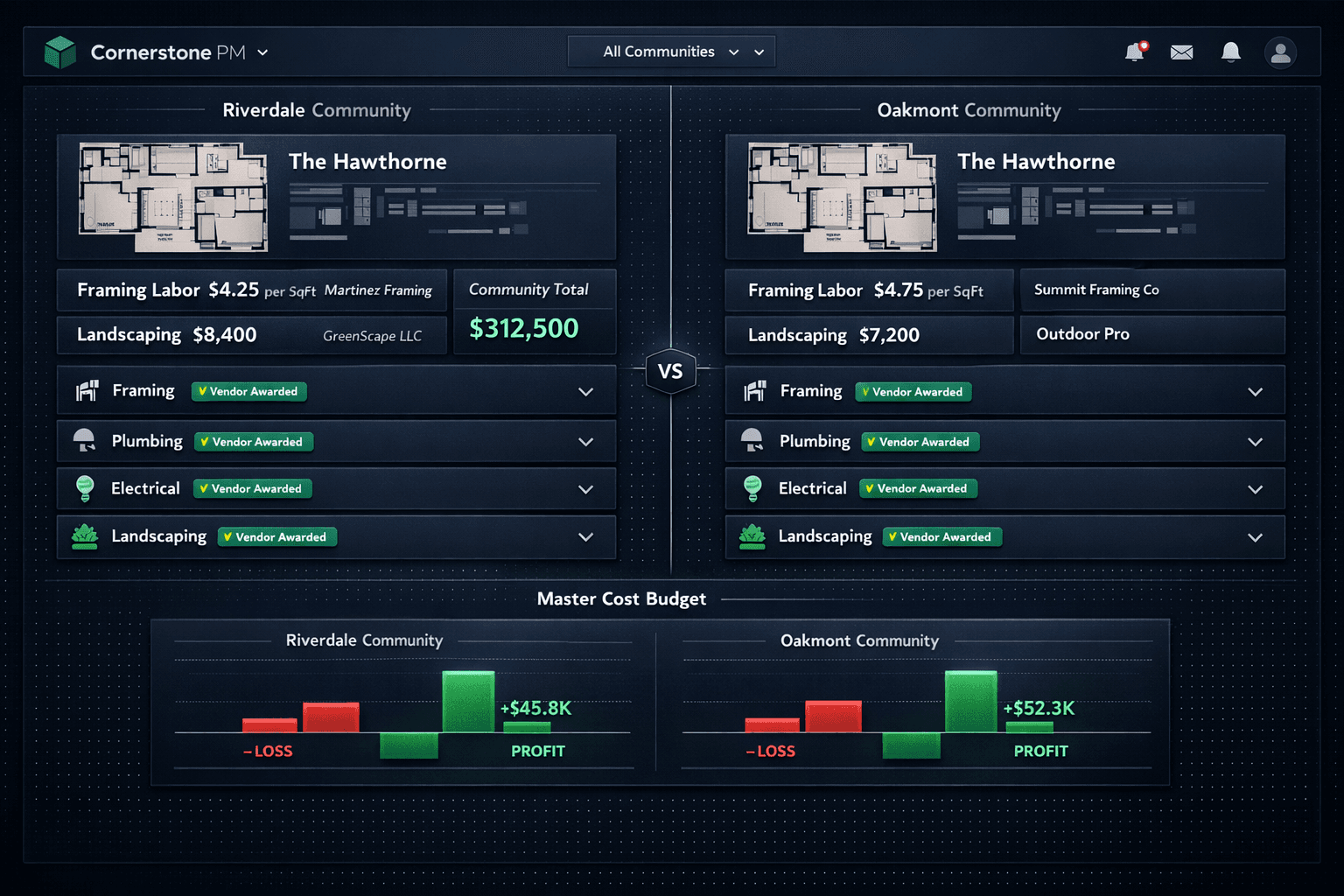
Same Floorplan, Two Communities, Two Different Costs
The Hawthorne sells in Riverdale at one cost and in Oakmont at another — and that is not a mistake. The framer who won Riverdale lost Oakmont. The lots are different sizes. The sales tax rates are not the same. Cornerstone PM's production design center prices vendor awards per community, so each community carries the costs it actually earned — not an average inherited from somewhere else.
A single global cost per plan is wrong in at least two of every three communities where it is used. The question is whether the software makes that visible or hides it.
Why one number per plan doesn't work
Production home builders repeat the same floorplans across multiple communities, and that repetition is their competitive edge. The Hawthorne gets built many times because the scope is understood, the schedule is templated, and the trades know the work. But the pricing is not the same everywhere, and it should not be.
A builder running three communities might see the same framing subcontractor bid $4.25 per square foot in one community and $4.75 in another — because the drive time is different, the site conditions differ, or a competitor bid more aggressively in one area. That $0.50 difference on a 2,400-square-foot plan is $1,200 per home before a single other scope is touched. Averaged across communities, that number is wrong in every community. Carried as a global cost, it silently overstates margin in one place and understates it in another.
How community-based vendor awards work
When a bid request goes out in Cornerstone's purchasing module, the builder selects the floorplans, scopes, vendors, and deadline. Vendors submit through a no-login portal — one click from the email, no account required. When the bids come back, they appear side-by-side for comparison, and the award is made per community.
Martinez Framing wins Riverdale at $4.25 per square foot. Summit Framing Co wins Oakmont at $4.75. Both awards are accepted, both are locked, and neither can be quietly revised afterward. The Hawthorne plan now carries two different framing costs — one per community — and every home of that plan built in each community will be priced against the vendor who won there.
Nothing carries a stored or default cost. Cornerstone enforces a hard cost rule platform-wide: a scope item with no accepted vendor bid shows as $0 / needs pricingrather than inheriting a number from another community or from an estimator's memory. That visibility is the point — a gap in the budget is better than a confident wrong number.
Scope-first area costs, filed by trade
Area costs in Cornerstone are scope-first: you pick or create a scope first, then add scope-filtered parts, scope items, or allowances under it. The bucket title is the scope — Framing, Plumbing, Electrical, Landscaping — so every cost is filed under the trade it belongs to, and pickers are filtered to that trade to prevent miskeying.
This structure exists at the community level. Riverdale carries its own framing scope with Martinez Framing's accepted pricing. Oakmont carries its own framing scope with Summit Framing Co's accepted pricing. The option catalog is shared at the floorplan level; the cost sources are independent per community.
Community pricing capabilities
Design center upgrade pricing by community
The same per-community logic applies to the design center. Upgrade pricing is community-aware: a kitchen countertop upgrade that costs one amount as an add-on in Riverdale can be priced differently in Oakmont. The option catalog — the 64 curated Designer Packages across 7 categories, the flooring classes, the exclusion groups — stays shared at the floorplan level. Only the upgrade prices differ.
This matters at the design center appointment. A buyer in Riverdale sees the Oakmont granite tier upgrade at the Riverdale price, not a community-average that is technically correct nowhere. The same spec-level control that lets builders promote any standard finish to a paid upgrade with one change applies per community, so the design center is honest about what things actually cost in the community where the home will be built.
What this looks like in QuickBooks
Each community in Cornerstone maps to a QuickBooks Online Customer — so Riverdale Community is a QBO Customer and Oakmont Community is a separate QBO Customer. Each home maps to a Project (or sub-customer Job on tiers without Projects) under the community Customer. Purchase orders, bills, and change orders sync one-way from Cornerstone to QuickBooks, carrying community, lot, address, PO number, and cost code in every memo.
The result is real per-community P&L inside QuickBooks without journal entries. The Riverdale margin and the Oakmont margin are distinct line items in the books, matching the distinct vendor costs on the build side. The builder does not need to reconstruct that picture at month end — it is already there.
Cornerstone stays the source of truth and the sync runs one direction only. Changes made in QuickBooks never overwrite Cornerstone — the awarded pricing, the budget, and the community assignments live in the platform that manages the build.
The honest answer when a scope has no bid
A new community often has awarded pricing for framing and plumbing but nothing yet for landscaping. In most tools, that gap is filled with a number from somewhere — a prior community, an estimator's instinct, a default cost table. Cornerstone shows it as $0 / needs pricing.
That is not a failure state. It is the correct answer until a vendor submits and a bid is awarded. An allowance — the only line that can carry a direct dollar as a budget placeholder — can hold the landscaping slot while the bid round runs. When the real bid lands, the allowance is replaced and the budget updates. The builder knows exactly what is priced and what is still open, without any number being quietly borrowed from a community where the terrain is different.
Price the plan right in every community.
Community-assigned vendor awards, scope-first area costs, and per-community design center pricing — all connected to QuickBooks with per-home P&L built in.
Request Early Access