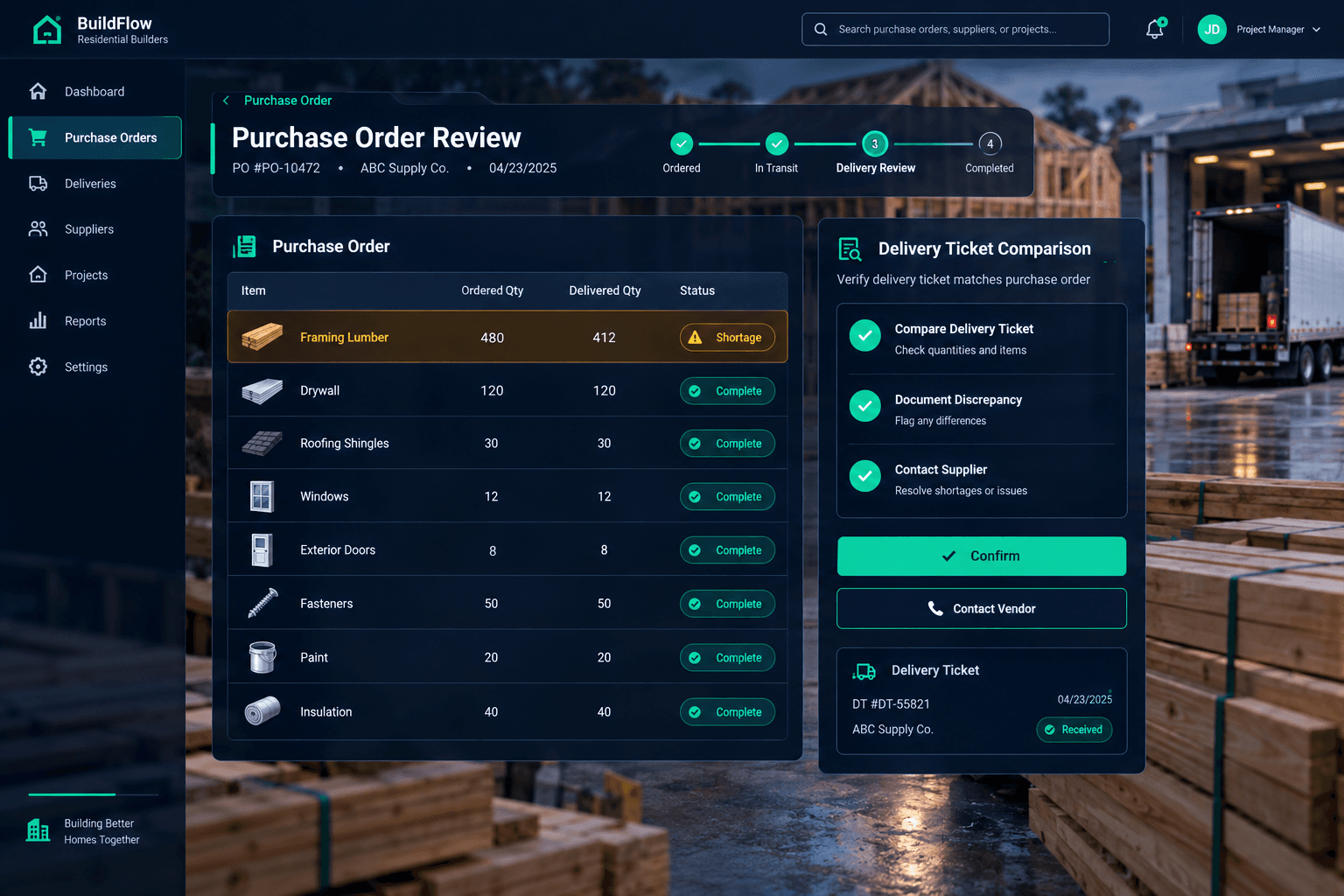
The Delivery Is Short: Review the Purchase Order Before Calling It Complete
When a delivery shows up short, don't sign off on it as complete. Compare the delivery ticket to the issued purchase order, document exactly what's missing, contact the supplier the same day, and confirm a real delivery plan for the rest before anyone treats the order as fulfilled.
A short delivery is easy to miss in the moment. A truck shows up, someone signs, materials get stacked with everything else on site, and the purchase order gets marked complete because that's the next box to check. Weeks later a trade shows up short on lumber or fasteners, and now it's a schedule problem instead of a five-minute delivery-dock catch.
How do you catch a short delivery before it becomes a problem?
Compare the delivery ticket against the purchase order while the truck is still there, item by item, not just the total unit count. A ticket that says "480 board ft delivered" against a PO for 480 doesn't tell you anything if the actual count on the ground is 412. Cornerstone shows the ordered quantity on every line of the PO, so the comparison is quick — but there's no warehouse inventory system or automated three-way match behind it. The check itself is still a person standing at the delivery with the PO in hand.
Document it on the spot
Write the shortage on the delivery ticket itself, with the driver's acknowledgment when you can get it. A record made at the dock beats a memory from three weeks ago.
Call the supplier the same day
A same-day call gets you a real answer on when the rest is coming. Waiting until a trade is blocked turns a phone call into a scramble.
What should happen after you find a shortage?
Contact the supplier before the day is out and get a specific answer, not a vague "we'll take care of it." Ask for a firm date or delivery window for the remaining materials, especially if a scheduled trade is depending on that item. Then log the discrepancy directly against the purchase order in Cornerstone, so the shortage is visible to anyone checking that PO's status later — a superintendent tracking materials, or accounting reconciling against a bill.
Don't mark it complete yet
Marking a short purchase order complete hides the problem from anyone checking status later, and can create a mismatch if a QuickBooks Bill is linked to it.
What about the linked bill in QuickBooks?
If the purchase order is linked to a QuickBooks Bill, a short delivery is exactly the moment to hold that bill for review rather than let it pay out against the full ordered amount. Cornerstone never auto-pays a vendor — payment approval stays manual in QuickBooks — but a shortage that isn't documented anywhere makes it harder for whoever is approving the bill to catch the mismatch. Recording the discrepancy on the PO gives them the context before the bill gets approved, not after.
A short delivery isn't unusual, and it isn't a crisis if it's caught and documented at the dock. What turns it into a real problem is a purchase order marked complete on a shipment that never actually finished. For more on keeping purchase orders and vendor pricing accurate, see the purchasing hub.
Keep purchase orders honest about what actually arrived
Cornerstone PM keeps purchase orders, delivery notes, and linked bills connected, so a short delivery is easy to document and impossible to lose track of.
Request Early Access