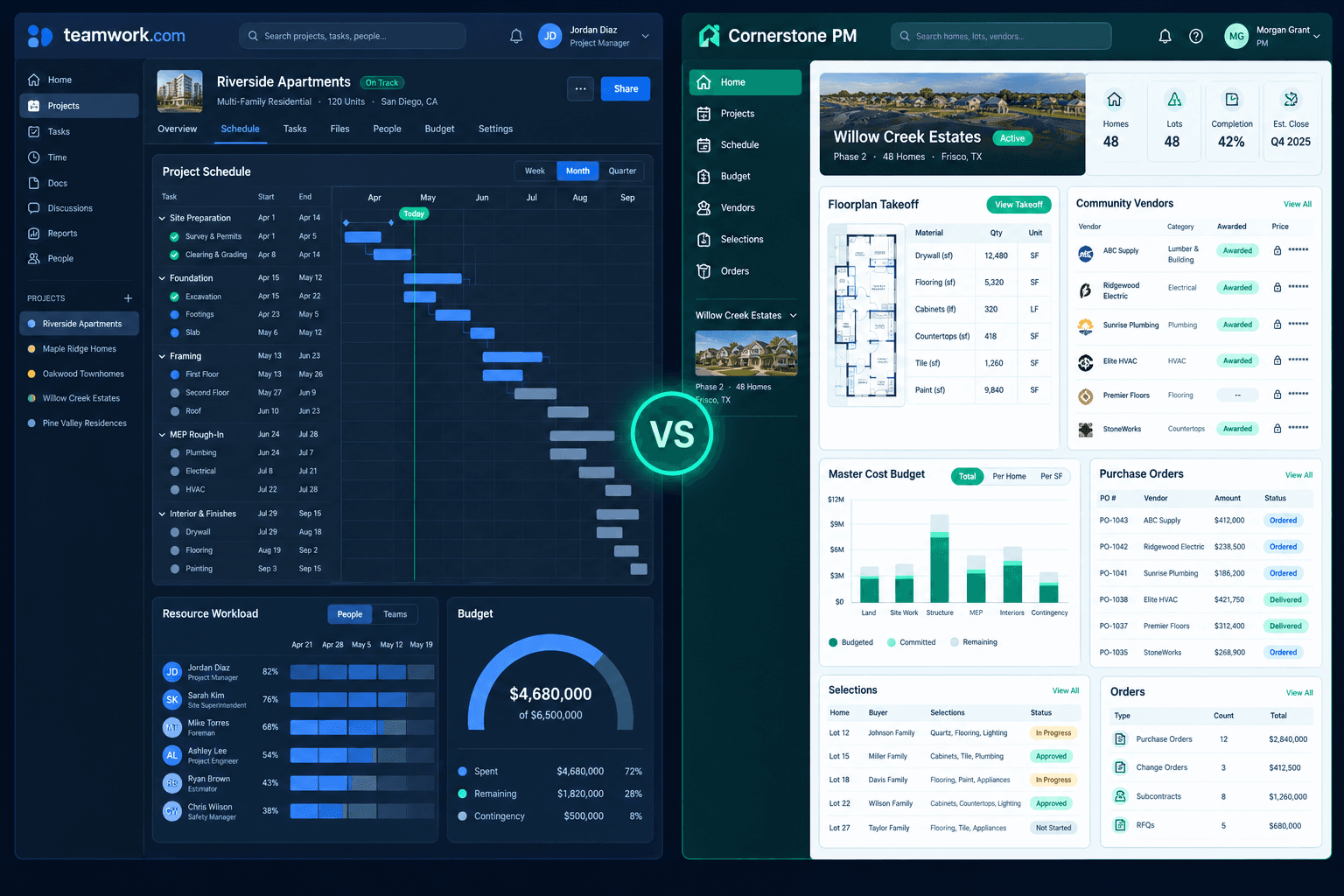
Teamwork.com vs Cornerstone PM: Resource Management or Connected Homebuilding?
Teamwork.com is a project and resource management platform with a construction offering; Cornerstone PM™ is built around the homebuilding workflow itself. The better fit depends on whether your bottleneck is coordinating people and project budgets, or connecting takeoffs, vendor awards, buyer selections, and purchasing.
Both can belong on a shortlist. For the full category overview, start with home builder project management software, then use the questions below to test each platform against your own process.
What does Teamwork.com offer construction teams?
On its construction page, Teamwork.com highlights Gantt charts, phase dependencies, and milestone tracking; resource management and workload planning; time tracking; and budget tracking with crew and subcontractor rates and budget-vs-actual reports. Those are real strengths for teams that need to see who is doing what, when, and at what cost across projects.
Where does the homebuilding workflow come in?
A production builder repeats floorplans across communities, and the money decisions happen in a chain: takeoff quantities, vendor bids, an award, accepted pricing, the budget, buyer selections, and purchase orders. Cornerstone PM™ is designed around that chain:
- Floorplan takeoffs that feed scope-filtered bid requests.
- Community vendor awards with locked accepted pricing, so the same plan can cost differently in different communities.
- A Master Cost Budget fed by awarded, vendor-priced scope items.
- A buyer design center with options and selections tied to the plan.
- Purchase orders that follow the accepted pricing. See the purchasing workflow.
How do you test both with one sample home?
Feature lists blur together. A sample-home walkthrough does not. Pick one floorplan and one community, and ask each vendor to show the following:
- How does the floorplan takeoff produce quantities by trade?
- How are bid requests sent, and how are vendor responses compared?
- How is a community vendor award recorded and the accepted price locked?
- How does that price reach the home budget without re-entry?
- How are buyer selections captured and priced against the plan?
- How do purchase orders follow the accepted pricing?
For each step, note whether it is native, configured by your team, or handled by an integration. That tells you the setup and upkeep you would own. Cornerstone PM™ answers steps 1 through 6 inside one workflow; ask Teamwork.com to show you how theirs would work rather than assuming either way.
Which platform fits which builder?
Teamwork.com may fit if you coordinate varied project types, need workload planning and time tracking across a team, and already have a system for bids and purchasing. Cornerstone PM™ may fit if you build repeatable plans across communities and want takeoffs, awards, budgets, selections, and purchasing connected without stitching tools together. Foreman AI can also help with purchasing and budget questions; see Foreman.
What should you verify before deciding?
Confirm current pricing, plan limits, and feature details directly with each vendor, since both change over time. Ask about setup effort, who maintains any configuration, and how your existing accounting and purchasing data would move over. Then return to the home builder project management software overview to compare against the rest of your shortlist.
Run your sample home through Cornerstone PM™
See takeoffs, community vendor awards, budgets, selections, and purchasing connected in one workflow.
Request Early Access →