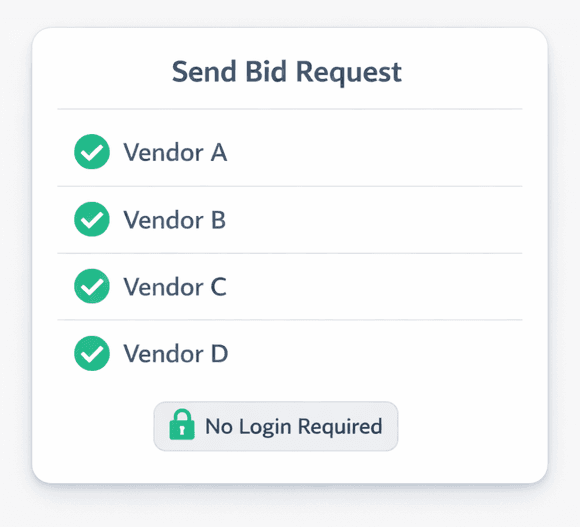
Send a Bid Request to 10 Vendors in One Click (No Vendor Login Required)
Cornerstone PM's bid request system lets you send scope-filtered Excel templates to every vendor on your list in one click — and vendors submit their bids through a no-login portal without ever creating an account. You get a side-by-side comparison when two or more bids come in.
Most construction bid workflows involve a chain of manual steps: email a spreadsheet, wait for a reply, re-format the numbers, compare manually. Cornerstone PM's purchasing module replaces that entire chain with a structured bid request flow — automated templates, real-time status tracking, and a vendor portal that requires nothing from your subs except clicking a link.
How does the bid request workflow actually work?
The flow is four steps from end to end:
Open Bid Requests
Purchasing → Bid Requests → New Request. That's the full navigation path.
Select floorplans, vendors & scopes
Choose which floorplans are in scope, which vendors to invite, and which scope items they'll price. Set a deadline and optional message. Send.
Vendors get a scope-filtered Excel template
Auto-generated with three tabs — Base, Structural, Designer — filtered to each vendor's trade. Framer sees framing scope. Plumber sees plumbing scope. That's it.
No-login portal submission
Vendors click the email link, download the template, upload bid docs (up to 10 files, 10 MB each), and submit or decline. No account. No password. No friction.
Start to send takes under two minutes once your vendor list and scope items are configured. The work you've already done in Purchasing — scope items, vendor assignments, floorplan configurations — feeds directly into the bid request. There's no re-entry.
What makes the Excel bid template different?
The auto-generated Excel template isn't a generic spreadsheet you customize and re-send each cycle. It's built from your scope data and filtered per vendor:
Three structured tabs
Base, Structural, and Designer. Scope items land in the right tab automatically — structural options like bonus rooms and finished basements in Structural, designer finishes in Designer, core build items in Base.
Scope-filtered per vendor
Your framing sub sees framing scope. Your plumber sees plumbing scope. Nobody scrolls through irrelevant line items. The template is generated fresh for each vendor invite.
Pre-populated with floorplan context
The template includes the floorplans you selected in the bid request, so vendors know exactly what they're quoting — plan name, square footage context, and any structural options in scope.
The three-tab structure matters because it matches how Cornerstone PM separates structural scope from designer scope in the purchasing workflow. Vendors who bid only designer finish items never see structural option pricing — which reduces confusion and keeps your cost data clean.
Why doesn't the vendor portal require a login?
Every extra step between “vendor receives email” and “bid submitted” is a drop-off risk. Asking a subcontractor to create an account, verify an email, and set a password before they can submit a bid introduces friction that kills response rates — especially from smaller trade contractors who aren't going to manage yet another software login.
Cornerstone PM's vendor portal is token-protected. The email link the vendor receives is the authentication. They click it, the portal opens, and they're immediately looking at the bid request with their scope-filtered template ready to download. The full submission flow — download template, upload bid docs, add notes, submit — happens without any account creation.
Cornerstone PM tracks each vendor through Invited → Viewed → Submitted → Declined in real time. You know who has opened the link, who has submitted, and who you need to follow up with — without sending a single follow-up email manually.
What happens after vendors submit?
Two things happen automatically on submission:
First, the bid locks. Once a vendor submits, they cannot edit their numbers. This is intentional — it prevents last-minute scope changes or pricing adjustments after a vendor has seen a competitor's numbers. What they submitted is what they submitted.
Second, if two or more vendors have submitted, Cornerstone PM surfaces a side-by-side comparison. You see each vendor's pricing across the scope items you requested, without needing to manually pull the numbers out of separate PDFs or spreadsheets.
Is it always the lowest bid that wins?
No — and that's a deliberate design decision that separates Cornerstone PM from platforms that treat vendor selection as a lowest-bid auction.
When you award a bid, you're assigning that vendor to a specific community for that scope. Not to every community. A framing sub who wins your bid in Community A can be a different vendor than the one winning Community B — because your vendor relationships are community-specific, not platform-wide. The builder decides who wins. Cornerstone PM shows you the comparison; it doesn't make the decision for you based on price alone.
This reflects how production home builders actually work. Your preferred plumber in one subdivision may not be licensed to work in the municipality where your next community sits. Your framer in a rural community may not have the crew size for a higher-density urban infill project. Platform-enforced lowest-bid auctions ignore this reality. Cornerstone PM respects it.
Lock-after-acceptance protects awarded pricing
Once a bid is awarded, neither the builder nor the vendor can edit it. Awarded pricing is locked in — no scope drift, no last-minute renegotiation, no 'we changed a few items after the fact.'
Multiple accepted bids per scope across communities
You can accept one vendor's bid for Community A and a different vendor's bid for Community B — on the same scope item. Real-world vendor relationships don't map to single platform-wide awards.
How does this compare to how Buildertrend and JobTread handle vendor bids?
Buildertrend and JobTread handle bid requests as part of their purchasing or RFI modules, but the workflows were designed for custom builders — one project, one set of vendors, negotiated line by line. There's no native concept of scope-filtered Excel templates generated per vendor, no community-assigned vendor wins, and no structured portal that separates Base/Structural/Designer scope into separate tabs automatically.
For a production builder sending bids on the same scope items across five communities with ten floorplans each, the manual overhead compounds quickly. Cornerstone PM was built for that volume — the bid request system takes the floorplan and scope data you've already configured and makes template generation automatic, not another task for your purchasing team.
For a full feature comparison, the home builder project management software overview covers where Cornerstone PM sits relative to the field.
What do vendors actually upload?
Vendors can upload bid documents in PDF, Excel, or CSV format — up to 10 files, 10 MB each. Most vendors submit the completed bid template with their pricing filled in, but they can also include supporting documents: material cut sheets, labor breakdowns, warranty paperwork, or anything else relevant to the bid. Notes fields let them add context before submitting.
Once submitted, the portal shows their bid as locked with a submitted timestamp. Declining is also a first-class action — a vendor who can't take on the work for this cycle can decline directly through the portal, which clears the pending status on your side so you're not waiting on someone who already checked out.
The frictionless bid cycle: what it adds up to
The vendor bid system in Cornerstone PM is designed to reduce the work your purchasing team does on every bid cycle — from scope template creation, to vendor communication, to comparison — while keeping the decision where it belongs: with the builder.
The purchasing workflow in Cornerstone PM connects bid awards directly to your scope items and community pricing, so vendor wins aren't just tracked in the bid system — they flow forward into your cost budgets automatically. The bid you awarded becomes the pricing that drives your floorplan cost breakdowns, your design option pricing, and your master cost budget.
That's the version of “frictionless bidding” worth building: not just a faster email, but a connected purchasing system where awarded pricing propagates through the platform instead of living in a spreadsheet your team maintains manually.
Ready to run your next bid cycle in Cornerstone PM?
Send scope-filtered bid requests to every vendor on your list in one click. No vendor logins, no manual template work, no separate comparison spreadsheets.
Request Early Access