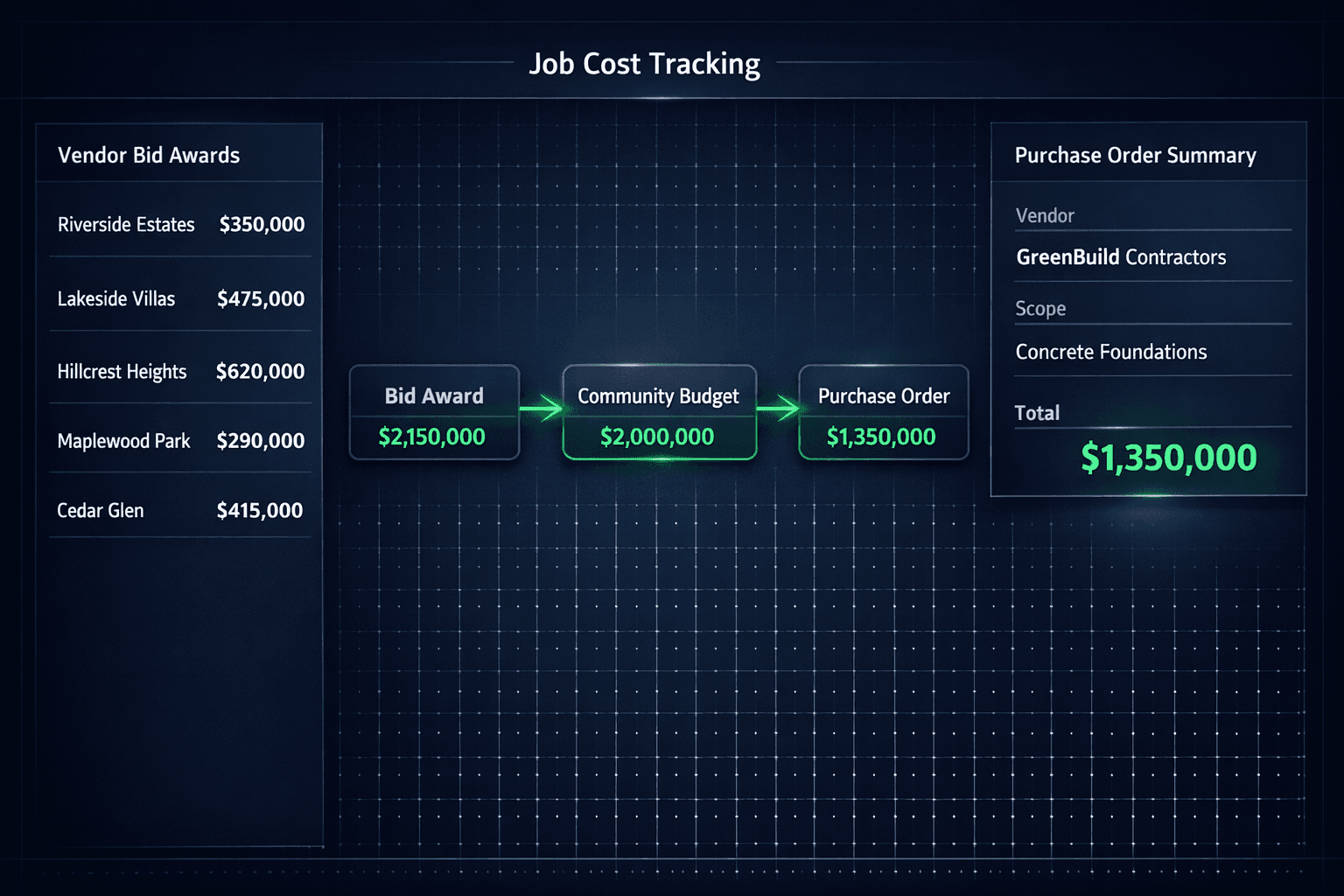
From Awarded Bid to Job-Cost Budget: Where Construction Costs Lose Their Source
A job-cost budget is only trustworthy if every number in it can be traced back to a real, accepted vendor price. Cornerstone PM carries a dollar from vendor response through comparison, community award, accepted pricing, the home budget, and the purchase order — so a builder can always answer which vendor, which scope, and which award produced any given cost.
Most purchasing teams can point at a total. Far fewer can explain where it came from. Somewhere between the bid inbox and the final budget, numbers get copied, rounded, defaulted, or rekeyed — and the traceability that would let anyone catch a mistake disappears with it. The purchasing module in Cornerstone PM is built so that never has to happen.
How does a construction cost actually move from a vendor bid to a budget?
It's a six-step chain, and each step hands the next one a number it can trust instead of a number it has to re-verify:
Vendor response
Pricing comes back on the exact scope items the vendor was invited to quote.
Side-by-side comparison
Two or more submitted bids surface together, ready to evaluate without pulling numbers out of separate files.
Community-specific award
The builder awards a vendor to one community. A different community can award the same scope to a different vendor.
Accepted price locks
Once awarded, the number can't be edited by either side — what was agreed is what moves forward.
Scope-first area cost
The accepted price attaches to its scope and flows into every home budget in that community automatically.
Purchase order
The PO is generated straight from the award — vendor, scope, community, and price all trace back to one source.
Every step reuses the data the previous step produced. Nobody re-types the accepted price when the purchase order is generated — the PO is built directly from the award itself.
Why do most builders lose track of where a budget number came from?
Spreadsheet-based budgeting doesn't fail because anyone is careless. It fails because the tools force a break between where a price is decided and where it's used. A bid comparison lives in one tab, the community budget in another, and the purchase order in a completely separate document. Three common breakpoints show up almost every time:
Stale quotes copied forward
A vendor's number from three months ago gets pasted into this quarter's budget because nobody wants to re-request pricing. The budget looks complete. It isn't current.
Default costs that look awarded
A placeholder or catalog default fills a blank cell so the spreadsheet totals correctly. Nothing distinguishes it from a real accepted bid until someone asks where the number came from.
Manual rekeying between systems
Bid comparison lives in one file, the budget in another, and the purchase order in a third. Every hop is a chance for a typo, a dropped scope, or a number that quietly stops matching its source.
None of these look wrong in the moment. The budget still totals correctly, the PO still gets sent, and the home still gets built. The cost only becomes visible when a number drifts far enough from reality that someone has to reconcile it by hand — and by then, nobody remembers which line items were real awards and which were filler.
How does Cornerstone PM keep every dollar traceable?
Scope-first area costs mean pricing is attached to a specific scope item within a specific community, not typed loosely into a generic line. When a bid is awarded in Community A, that accepted price becomes the area cost for that scope in that community — and it carries forward into every home budget built on it. Award a different vendor in Community B, and Community B carries its own accepted price. There is no shared default sitting behind both.
Because the award is the source of the area cost, and the area cost is the source of the home budget, and the home budget is the source of the purchase order, a builder can walk the chain backward from any dollar amount to the specific vendor and bid that produced it. That traceability is the difference between a budget that totals correctly and a budget a builder can actually defend.
What happens if a scope item doesn't have an awarded price yet?
Cornerstone PM leaves it at $0 with a needs-pricing state instead of quietly filling in a default that looks like a real number. A $0 line is visible and demands action. A default cost that happens to be close to reality is invisible — and invisible gaps are exactly what let budgets drift without anyone noticing until a home is under construction and the real vendor price shows up higher than what was budgeted.
This connects directly to how bids get awarded in the first place. See vendor bid requests and the no-login portal for how scope-filtered templates and side-by-side comparison feed the award step that starts this entire chain.
Does this replace a spreadsheet, or just make one more organized?
It replaces the need for one. A spreadsheet-based budget is a snapshot — accurate the moment someone finishes typing it, and stale the moment a vendor price changes. A connected chain from award to budget to purchase order stays current because there's only one place the price lives. Change the award, and every downstream number that depends on it reflects the change automatically instead of waiting for someone to remember to update three other files.
For the full picture of how this fits into the rest of the platform — schedule, design selections, and job costing together — see home builder project management software.
One source, not three copies
The award, the area cost, and the purchase order all point back to the same accepted bid — so there's exactly one place to check when a number looks off, not three files that might disagree with each other.
What does this add up to for a growing builder?
A builder running a handful of homes can usually reconstruct where a budget number came from by asking around. A builder running fifty homes across five communities can't — the chain has to hold that traceability on its own, without depending on someone's memory of which vendor won which scope six months ago. That's what Cornerstone PM's purchasing workflow is built to do: keep the line from award to budget to purchase order intact, every time, for every scope, in every community.
Stop guessing where your budget numbers came from.
Cornerstone PM™ traces every dollar from vendor award to community budget to purchase order — no defaults, no rekeying, no unexplained drift.
Request Early Access