Before a CRM Import: Check Phone Numbers, Postcodes, and Dates
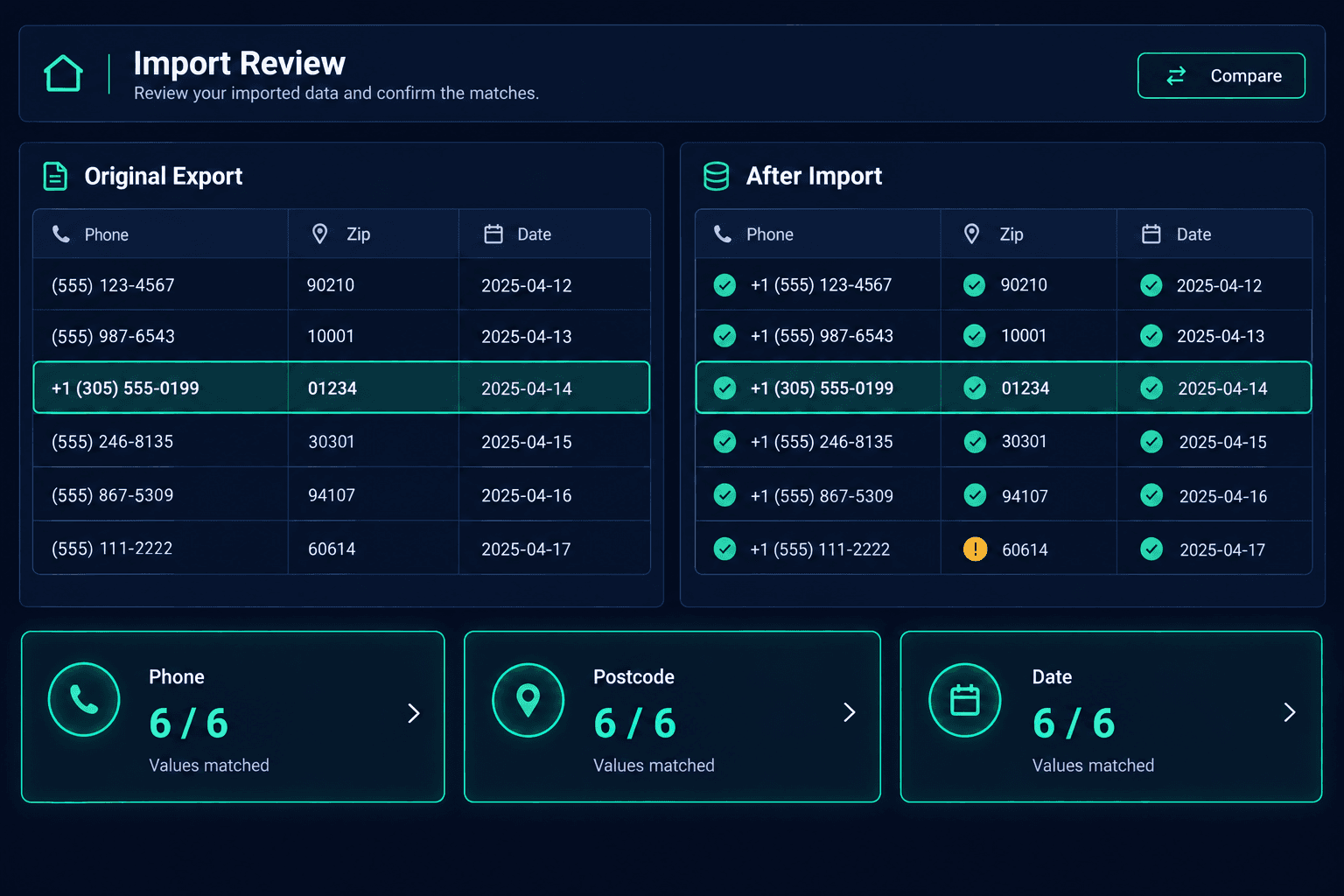
Before a CRM import, compare a sample of phone numbers, postcodes, and dates against your original export, because spreadsheet edits can silently change them. Catching that damage early keeps your sales pipeline records trustworthy from the first day.
Most builders export customer data to a spreadsheet to tidy it before moving systems. That is where quiet damage happens. A postcode like 02134 becomes 2134. A phone number loses its plus sign and country code. A date written 04/05/2026 gets read as May 4 instead of April 5. None of these throw an error, and all of them look plausible until a buyer call goes to the wrong number or a follow-up fires on the wrong day.
This is a narrow how-to, not a general migration guide and not a duplicate-vendor cleanup. It covers one manual review: confirming that three kinds of values survived spreadsheet editing before you import them. The examples here are fictional.
What should you review before a CRM import?
Review five things, none of which need special tools. A spreadsheet and a careful side-by-side read are enough.
What the review checks
Original export preserved
An untouched copy of the source file, saved before any editing
Phone numbers
Country codes and plus signs compared against the source
Postcodes
Leading zeros confirmed on every sampled record
Ambiguous dates
Day-month order checked on dates that could read two ways
Sample comparison
Representative supported fields compared before and after import
Why do phone numbers change in a spreadsheet?
Spreadsheet programs often treat a phone number as a number. A leading plus sign can be stripped, and a long international number can be reformatted or shortened. A fictional buyer listed as +44 20 7946 0000 may come back as 442079460000 or lose the country code entirely. Compare a handful of numbers, especially international ones, against the preserved original before you move on.
How do you spot lost postcode zeros?
Sort the sample by postcode and read the shortest ones. In the United States, many northeastern postcodes begin with zero, so a four-digit value in a column of five-digit values is a warning sign. Other countries have their own leading-zero formats. Compare each short postcode to the original, and note how many rows were affected so you can decide whether to restore the column from the source before importing.
Which dates are ambiguous?
Only dates where the day is 12 or lower can be read two ways, so those are the ones to check. Pick a few from your sample, such as 03/07/2026, and confirm against the original whether the system meant March 7 or July 3. If your old platform and your spreadsheet software use different regional settings, one of them may have reinterpreted the whole column.
Mapping help is not proof a value survived editing
Cornerstone's CRM Migration Wizard detects your source platform and column mappings, but it does not repair formatting that was already changed in your file, and this checklist does not assume support for every custom field. Treat the comparison as your own manual check of the supported fields you rely on.
How do you compare records after the import?
Keep the original export untouched, then open the same sample records in Cornerstone after the import and compare each supported field to the source. If a value differs, trace it back: was it already wrong in your edited file, or did it change during mapping? Because you kept the original, you can answer that question quickly. For records tied to vendors and bids, the same habit applies to purchasing data you bring across.
If you are still deciding how to switch platforms overall, the migration overview covers the wider process. This checklist is the format-review step that sits before it.
What is the simplest way to run this review?
Follow the six steps in order: preserve the original, pick a sample, check phones, check postcodes, check dates, then compare after import. Name one person responsible for each pass so the review has an owner. It takes less than an hour for a sample of twenty rows, and it is far cheaper than discovering a bad phone number after a buyer follow-up has already failed. Keep the sample list with your migration notes so the decision trail exists later.
Move customer records with confidence.
Review your formats first, then let the CRM Migration Wizard detect your source platform and mappings. Start with the sales workflow that depends on clean contact data.
Request Early Access