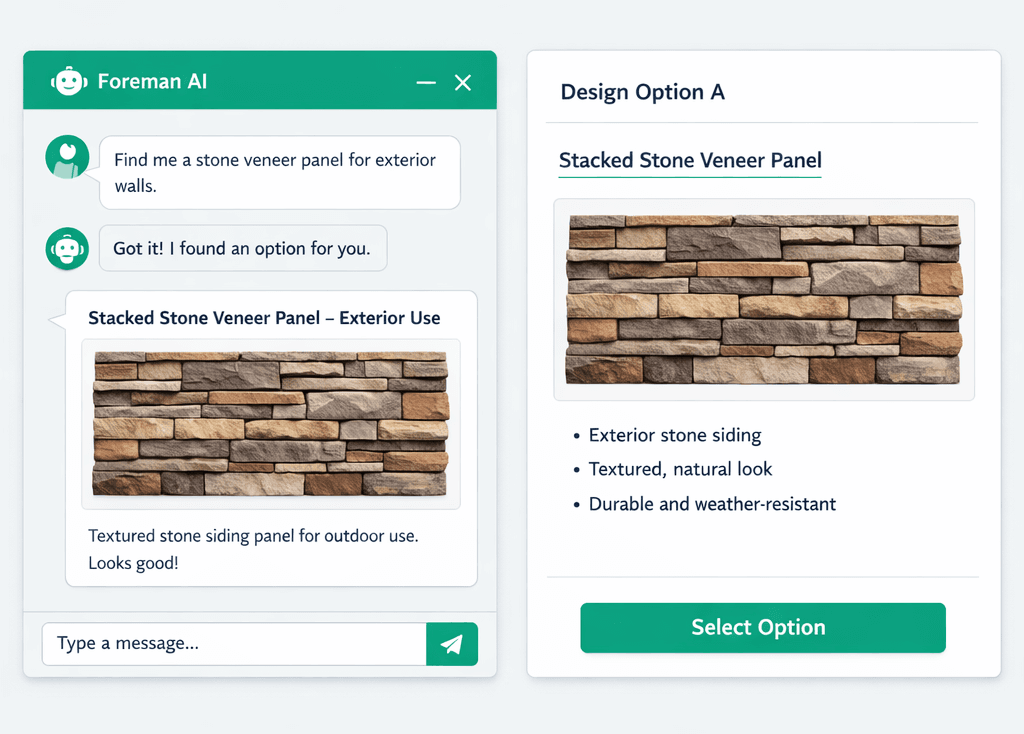
Foreman AI Finds the Product, Hosts the Image, and Attaches It in One Breath
Foreman AI runs a four-step workflow that searches for a product image by name or model number, saves it to permanent hosted storage, and attaches it to your design option — all without you touching a browser. Broken image links and manual upload cycles are a solved problem.
Every design team has the same problem: you add an image to a design option by pasting a link from the supplier's website, and six months later that link is dead. The supplier rotated their CDN, the product was discontinued, the URL structure changed. Your design center is full of broken thumbnails and your purchasing team is re-doing work they already did. Foreman AI eliminates this entirely — it searches, hosts, and attaches in one automated sequence.
What does the four-step image workflow look like?
The workflow runs through four skills in sequence. You describe the product — by name, model number, or both — and Foreman handles the rest:
Search the product image
Foreman searches by product name or model number and returns direct image URLs — no manual Googling, no downloading and re-uploading.
Save to permanent hosted storage
The image is saved to Vercel Blob storage. The hosted URL is permanent — it won't 404 in three months when the supplier rotates their CDN.
Attach to the design option
Foreman updates the design option with the hosted image URL in one action. The image is live in your design center immediately.
Read the supplier page if needed
Need pricing or specs from Home Depot, Ferguson, or Lowe's? Foreman's AI-powered web reader bypasses anti-bot protection to pull the data directly.
The key step is the second one. Most AI tools stop at “here is a URL.” Foreman saves the image to Vercel Blob storage and hands you a hosted URL that lives under your account. The source URL goes stale; the hosted URL doesn't. Your design center images are stable because they're hosted on infrastructure you control, not borrowed from a supplier CDN.
Why do supplier sites block normal scrapers — and how does Foreman get through?
Home Depot, Ferguson, Lowe's, and most major building supply sites actively block automated requests. They detect headless browsers, rate-limit API calls, and serve bot-detection challenges that return empty pages or CAPTCHA screens to traditional scrapers. If you've ever tried to pull product pricing or specs programmatically from a supplier page, you've hit this wall.
Foreman AI uses an AI-powered web reader that handles anti-bot protection reliably — with a direct-fetch fallback for sites that don't require it. The result is that supplier pages which defeat traditional scrapers are readable by Foreman. You can ask Foreman to pull a product spec, a price, a model number, or a description from a supplier page and it will get the data.
We keep the underlying technology deliberately unnamed in our marketing — what matters is the outcome: your team can ask Foreman to read a product page and get a real answer instead of an error or an empty response.
Supplier sites Foreman can read
And most other major building supply retailers. AI-powered web scraping, direct-fetch fallback.
How does this connect to the rest of the Foreman AI skill catalog?
The image search and web-reading capabilities are part of Foreman's broader 396+ skill catalog — the same catalog that powers Bid Import AI, Blueprint AI takeoff, SOW generation, vendor scorecards, and profitability reports. When Foreman ships a new skill, it's available immediately; there's no plugin to install, no configuration change, and if you're on the REST API / BYOA tier, your external agents get it automatically too.
The product image workflow specifically draws on three skills:
searchProductImageSearches by product name or model number. Returns direct CDN URLs. No API key required.
downloadImageSaves any image URL to Vercel Blob storage. The returned hosted URL is permanent — it won't break when the source URL goes stale.
fetchWebPageAI-powered web reader with anti-bot bypass and direct-fetch fallback. Reads supplier pages that defeat traditional scrapers.
What was broken before — and why does it matter for design centers?
Before this workflow existed, the standard process for adding product images to a design center looked like this: find the product page, right-click the image, copy the URL, paste it into the option, and hope it stays valid. Or download the image, re-host it somewhere, update the option with the new URL. Both approaches require a human in the loop for every single product.
For a production builder running 64 Designer Packages across 7 categories — each with multiple options, each option with at least one image — the manual overhead adds up to hours of tedious work per community. And it compounds when products change: new model year, updated finish name, discontinued SKU. Every image attached to a dead URL is another broken display in front of a homebuyer.
Foreman's approach converts the image-management problem from a recurring manual task to a one-sentence instruction: “Find the image for the Kohler Memoirs pedestal sink in white and add it to the Classic Bath option.” Foreman searches, saves to permanent storage, and attaches. The URL it writes never breaks because it's not borrowed from Kohler's CDN.
“Foreman AI doesn't just search the web — it grabs the image, hosts it, and attaches it to your design option in one breath. Tell it what you want; it handles the URL management so you don't have to.”
Does Foreman remember which suppliers and products I prefer?
Yes — and this is one of the more underrated aspects of how Foreman handles product research. Foreman AI maintains two memory layers: per-user memory (your name, role, vendor preferences, communication style) and company-wide memory (recurring vendor relationships, preferred product lines, builder defaults). If your team consistently sources plumbing fixtures from Ferguson and tile from Floor & Decor, Foreman learns that preference and applies it when it's searching — without you specifying the supplier every time.
A superintendent who always specs Moen faucets will find that Foreman defaults to Moen when they ask for a kitchen faucet image, rather than returning a generic search result. This is the same memory architecture that powers Foreman's broader workflow intelligence — the AI remembers the context of how your business operates so each instruction doesn't need to start from scratch.
For a deeper look at how Foreman's memory layers work, see the Foreman AI memory post — it covers the per-user and company-wide memory model in detail.
How does this fit into the broader Foreman AI skill catalog?
The image and web-reading skills are part of the same 396+ skill catalog available on the Foreman AI platform. Every time a new skill ships, it becomes available in Foreman immediately — and if you're using Cornerstone's REST API or BYOA on Pro+, it shows up in your external agent's tool catalog automatically. The denylist permissions model means new capabilities are opt-out, not opt-in.
The product image workflow is also available through the MCP server — if you use Claude Desktop, Cursor, or Windsurf, you can configure the MCP connection in Cornerstone's app settings and run the image search workflow from your external AI tool without switching contexts. Same skills, same memory, same permanent hosted URLs — just invoked from wherever your team already works.
For builders evaluating the full Foreman AI feature set, the home builder project management software overview covers where Cornerstone PM sits relative to the field and how the AI capabilities compare to what competitors ship.
Ready to stop managing broken image links?
Foreman AI searches, hosts, and attaches product images in one instruction. Part of the 396+ skill catalog on Cornerstone PM — available on Pro and Pro+ plans.
Request Early Access