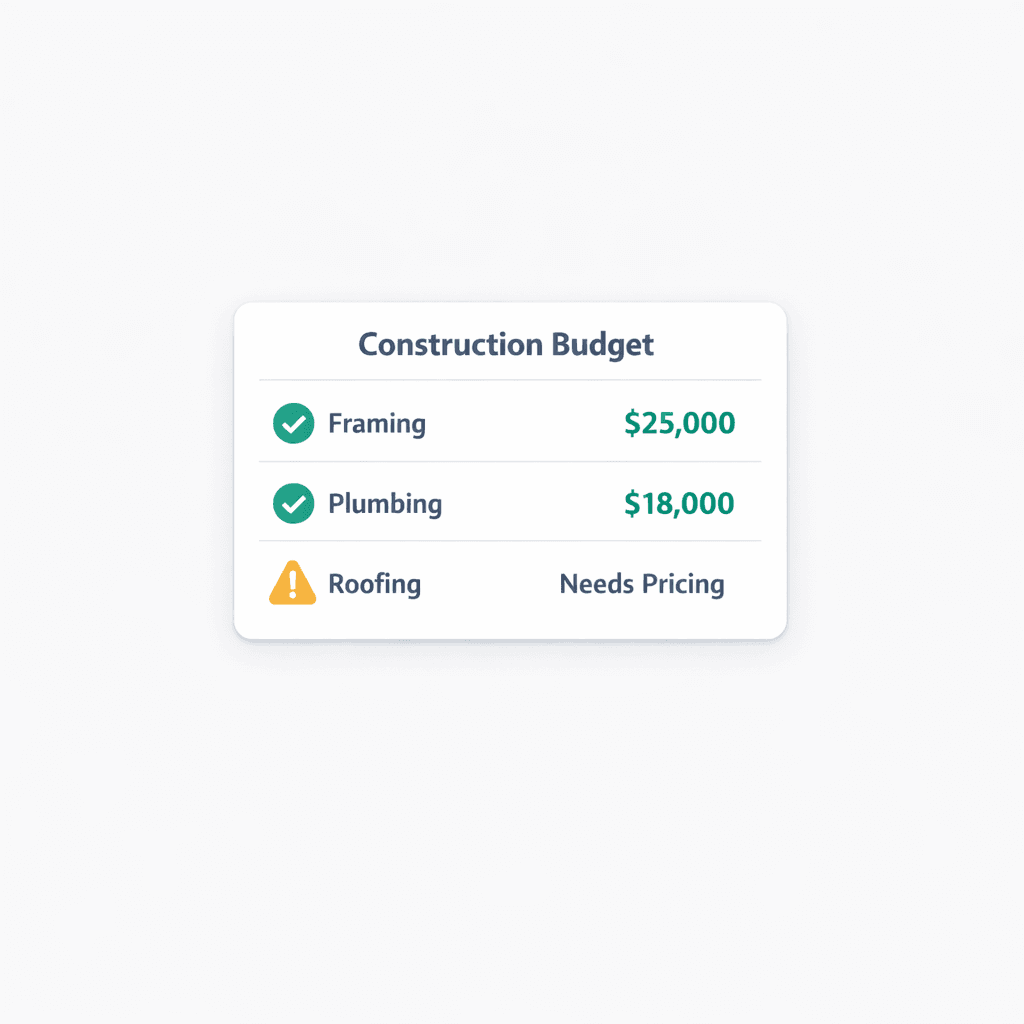
Every Dollar Traces Back to an Awarded Bid: The Hard-Cost Rule
Cornerstone PM stores no default or made-up costs. Every line item in the Master Cost Budget is priced from accepted vendor pricing — and a line with no awarded bid shows $0 / needs pricinginstead of a fabricated number. That's not a limitation. It's the point.
Most construction estimating tools ship with a default cost library — pre-loaded unit prices for framing, plumbing, electrical, and a dozen other trades. The intent is convenience: you get a budget on day one without waiting for vendor bids. The problem is that builders forget to update those defaults when market rates change, and the stale numbers quietly inflate or deflate every budget they build on top of them. You're making margin decisions based on prices that may be two years old and from a completely different market.
Cornerstone PM takes the opposite approach. We call it the Hard-Cost Rule: every cost in the system flows from an awarded bid, and anything unpriced is honest about being unpriced. The result is a budget you can actually trust — and a profitability number you can actually act on.
What does the Hard-Cost Rule mean in practice?
All cost flows from accepted vendor pricing
No line in Cornerstone carries a stored default or made-up cost. A scope item only has a cost once a vendor bid has been submitted and accepted. That's it.
Unawarded lines show $0 / needs pricing
If a scope item has no accepted bid, the budget shows $0 / needs pricing — an honest signal that this line still needs a real number, not a padded estimate.
Scope-first area costs keep costs organized
Area costs require you to pick or create a scope first. Every cost line is filed under the trade it belongs to — so nothing drifts into the wrong bucket.
These three principles work together. Scope-first area costs organize every cost under the trade it belongs to. The vendor-pricing rule ensures costs are real the moment they appear. And the $0 / needs pricing signal makes sure no unpriced scope hides behind a false estimate while you're making award decisions.
How are area costs structured?
Area costs in Cornerstone PM are scope-first by design. Before you can add any cost lines, you pick or create a scope — Framing, Plumbing, Electrical, Roofing Labor, and so on. The bucket title becomes the scope name.
Inside that bucket, you can add three types of lines:
- Parts — individual material items from your parts catalog. Priced from accepted vendor pricing only. Show $0 / needs pricing until a vendor bid is awarded.
- Scope Items — labor or scope lines tied to the selected trade. Also priced only from accepted vendor bids. Scope-filtered pickers mean you only see items that belong to this scope, not the entire catalog — less chance of a Framing item ending up in the Plumbing bucket.
- Allowances— the only line type that can carry a direct dollar amount. Use allowances for items where you don't yet have vendor pricing (appliances, custom fixtures, landscaping). When a real bid arrives and gets accepted, the allowance is replaced — no double-counting, no phantom number lingering in the budget.
The scope-filtered pickers are one of those quiet workflow improvements that matter more than they sound. If you're building a Plumbing area cost, the Parts and Scope Items you can add are pre-filtered to plumbing-relevant options. You're not scrolling through 400 items to find the right one and hoping you picked correctly. The trade boundary is enforced at selection time, which prevents miskeyed costs from showing up in the wrong scope — and making the budget summary misleading.
Why $0 / needs pricing is better than a fake number
The counterintuitive thing about showing $0 / needs pricing instead of an estimate is that it feels incomplete. A budget with several $0 lines looks unfinished. The natural impulse is to fill it with something — anything — so the total looks like a real number.
That impulse is exactly where margin disappears. Here's what happens with a default cost library:
- You load a floorplan with framing defaulted at $4.25/sqft from a two-year-old cost library
- You get vendor bids. The market has moved. Framing is actually $5.50/sqft in your region
- You accept the framing bid and award the scope — but the Master Cost Budget still shows the old default
- You present a margin report to the owner based on the budget. The margin looks healthy
- At close, the actual cost is $1.25/sqft higher across every home you built on that plan
A $0 / needs pricing line is impossible to misread. There is no fake number to mistake for a real one. The moment a vendor bid is accepted and awarded, the real price replaces the placeholder — and the budget updates with an honest number, not a reconciliation problem.
How this connects to the full purchasing workflow
The Hard-Cost Rule is only meaningful if the vendor pricing behind it is also real. Cornerstone's purchasing system is built so every step of the bid-to-award flow produces vendor-priced data that lands directly in the budget:
- Bid requests go out with scope-filtered Excel templates so vendors bid on the right scope with the right line items
- Vendors submit through a no-login portal — no scope confusion, no reformatted spreadsheets
- Bid Import AI maps imported prices back to the right scopes with cross-scope penalty matching
- You accept and award — pricing locks, and the Master Cost Budget updates with the real number
- Community-based awards let you assign different vendors per community, with locked pricing that can't be silently revised after the fact
At the end of that chain, the Master Cost Budget is filled with numbers that trace back to actual awarded bids from actual vendors who priced your actual scope. Not defaults. Not estimates. Not something copied from last year's project and adjusted by gut feel.
What Foreman AI does with vendor-priced data
Because every cost in the system is real, Foreman AI can generate reports that are actually useful. When Foreman reads your Master Cost Budget to produce a profitability report or vendor scorecard, it's summarizing real vendor-priced data — not extrapolating from synthetic defaults. A profitability report built on filler numbers is still a guess in a table. A profitability report built on awarded vendor bids is a number you can present to a lender, make hiring decisions around, or use to set the ask price on a spec home.
Foreman can also build area costs by chat — creating scope buckets and adding Parts and Scope Items following the same scope-first, vendor-priced flow a purchaser would use manually. It won't invent a number. A line with no awarded bid shows $0 / needs pricing whether a human or Foreman creates it. The honesty of the system doesn't change based on who's doing the data entry.
The marketing angle: trust the number
The Hard-Cost Rule isn't just an engineering principle. It's a sales tool for builders who want to differentiate on financial integrity.
When you show a buyer a finalized home price that traces every line to an awarded bid, you're not estimating. You're quoting. When a lender asks how the budget was built, you can answer with specifics — this framing scope was bid by three vendors and awarded at $5.50/sqft; this plumbing scope was awarded to the same vendor we've used across the last four communities. That's a different conversation than “we used our standard cost library and adjusted for inflation.”
Builders who operate this way have fewer change-order disputes, cleaner lender draws, and tighter variance between projected and actual margin. The discipline the Hard-Cost Rule imposes upstream pays off as financial clarity at close.
Frequently asked questions about vendor-priced construction budgets
Frequently Asked Questions
What is the Hard-Cost Rule in Cornerstone PM?
What are scope-first area costs?
What is the difference between a Scope Item, a Part, and an Allowance in area costs?
How does this compare to tools that ship default cost libraries?
What happens when I create a PO for a scope with no awarded pricing?
Can Foreman AI build area costs following the hard-cost rule?
How does the hard-cost rule help with margin protection?
Every dollar. Every scope. Every awarded bid.
Cornerstone PM's Hard-Cost Rule means your budget is always honest — no filler, no defaults, no synthetic splits. Just real vendor pricing, organized by scope.
Request Early Access