JobTread vs Cornerstone PM: Which Is Built for Production Home Builders?
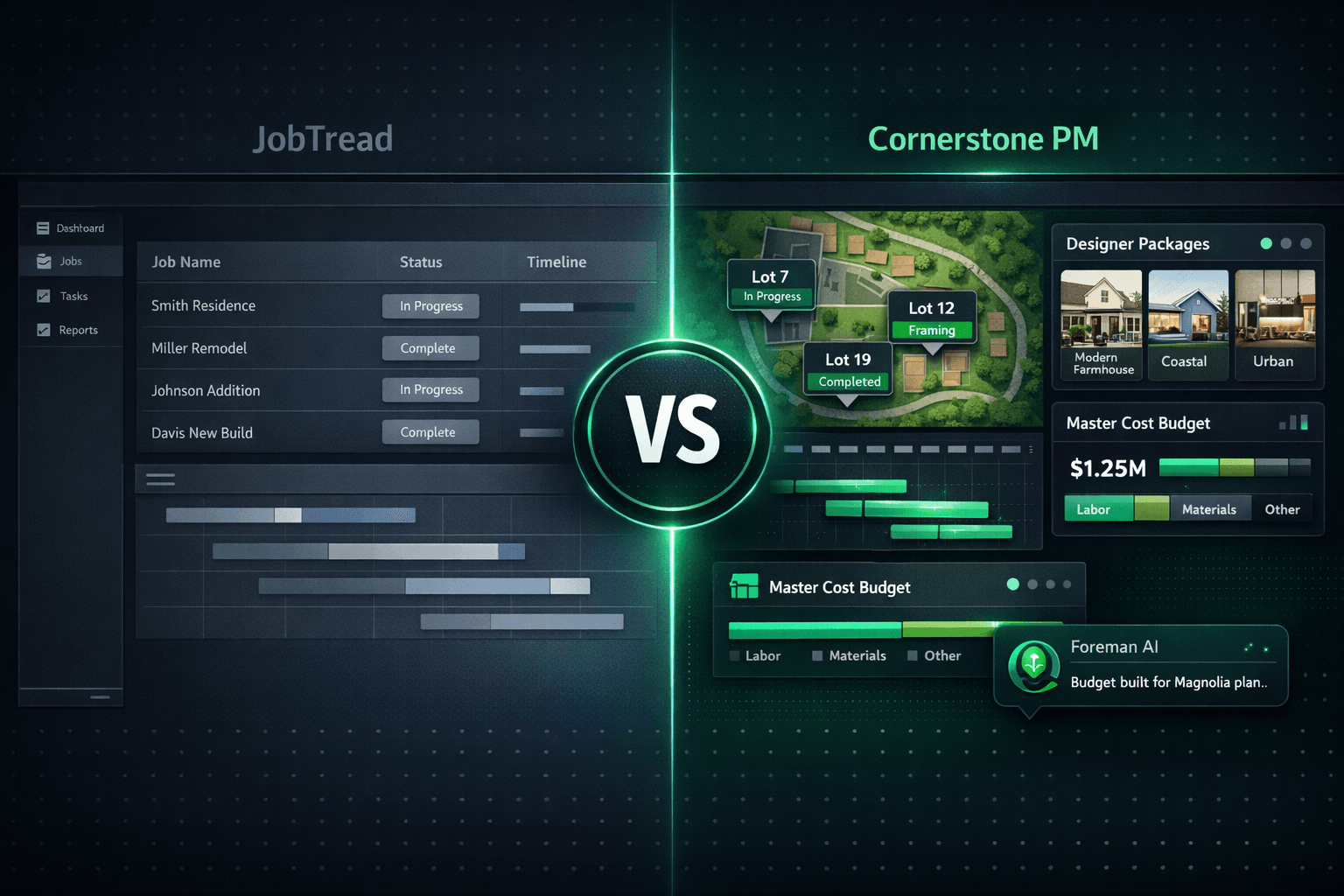
JobTread is a polished, modern construction management tool — and it's a great fit for custom builders and remodelers. But if you're running the same floor plan across multiple communities, you need a different category of software. Production home builder software is built around floorplans, plan repeats, and community-level operations — and JobTread has none of those concepts.
This isn't a teardown. JobTread wins on custom-builder workflows, fast onboarding, and a clean estimating UX. The question is whether it's the right tool for a builder running 30–200 homes per year across a community or two. The honest answer is no — not because of any flaw, but because the data model was designed for a different business.
What is JobTread, and who is it built for?
JobTread is a construction management platform focused on job-based budgets, scheduling, client portals, and financials. It launched in the mid-2010s and has built a strong reputation among custom home builders, high-end remodelers, and renovation contractors. The core model is a job: one project, one client, one budget. Everything lives under that job.
That works beautifully when every project is unique. A custom home on Lot 4 has a different scope, different client decisions, and a different budget from the custom home on Lot 5. JobTread handles that reality well.
Production building is a different reality. You have the Magnolia plan. It's 2,400 square feet, two stories, three bedrooms, and two baths. It sells in Harvest Creek, Meadow Run, and Oak Ridge — at slightly different price points per community because your framer is different in each. The options are the same across all three communities; the vendor who prices them is not. You need the plan defined once and inherited everywhere. JobTread has no concept of that.
The production-builder gaps in JobTread
These aren't criticisms — they're architectural facts. JobTread was built for custom work, and these features simply aren't part of the platform:
- No floorplan / plan-repeat model. There is no way to define a Magnolia plan once and spin up 25 homes from it. Each job is created from scratch or copied.
- No community / lot / model hierarchy. JobTread organizes by job tags and folders. Cornerstone is built around Community → Lot → Floorplan → Home as the native data model.
- No buyer-facing design center. JobTread has a client portal where selections can be shared, but there is no Designer Package system, no exclusion groups, and no plan-level option inheritance. Each job gets its own allowance-based selection list.
- No auto-quantity scope items by square footage. Cornerstone links scope items to Under Air Sqft, Total Sqft, or Roof Squares — so one framing rate reprices every floorplan and structural option automatically. In JobTread, you enter quantities job by job.
- No community-assigned vendor bid awards. Cornerstone lets you award your Harvest Creek framer to that community and a different framer to Meadow Run. The right vendor pricing applies to the right homes automatically. JobTread has no equivalent.
Feature-by-feature comparison
| Feature | JobTread | Cornerstone PM |
|---|---|---|
| Floorplan / plan-repeat model | ||
| Community / lot / model hierarchy | ||
| Buyer-facing design center | ||
| Designer Packages (64 curated bundles) | ||
| Exclusion groups (pick-one selections) | ||
| Auto-quantity scope items by sqft | ||
| AI blueprint takeoff (130+ scopes, <60s) | ||
| AI agent that takes real actions | ||
| Per-user AI memory across sessions | ||
| Community-assigned vendor bid awards | ||
| QuickBooks Online one-way sync | ||
| Client / buyer portal | ||
| Scheduling / Gantt | ||
| Custom one-off job management |
How does the design center differ?
JobTread's client portal lets builders share selections with homebuyers and collect approvals. For a custom build — where every selection is unique to that client — that workflow is exactly right.
Cornerstone's design center is built for the production model: options are priced at the floorplan level, not the job level, and shared across every home of that plan. Sixty-four curated Designer Packages let a buyer pick “Coastal” and have every category option auto-lock to that package's look. Exclusion groups enforce pick-one logic for flooring, countertops, and roofing — so a buyer can't accidentally select both carpet and hardwood.
The margin impact compounds over time. A production builder pricing 80 Magnolia homes per year against a single framing rate linked to Total Sqft updates that rate in one place and reprices every home, every structural option, automatically. In JobTread, that's 80 manual edits.
What about AI?
JobTread includes AI features for generating estimates and documents. That's useful, and their team is investing in it.
Cornerstone ships five native AI agents. The one most relevant to production builders is Foreman AI: 396+ skills across purchasing, design, budgeting, reporting, scheduling, and vendor management — with per-user memory that learns your vendor preferences and communication style across every session. Foreman reads and writes your live data. It doesn't just answer questions; it updates pricing, creates area costs, generates bid templates, builds profitability reports, and attaches product images with permanent hosted URLs.
Blueprint AI extracts 130+ material scopes from a floor plan PDF in under 60 seconds. For a production builder repricing the Magnolia plan after a structural change, that alone replaces hours of manual takeoff work.
Who should use JobTread?
Custom home builders, high-end remodelers, and renovation contractors doing unique one-off projects. If no two jobs look alike, JobTread's job-centric model fits your reality well. Its estimating UX, client communication tools, and onboarding speed are genuine strengths.
Who should use Cornerstone PM?
Production and semi-custom home builders running 20–200+ homes per year across one or more communities. If you have floor plans, a design center, community-level vendor contracts, and a purchasing workflow, Cornerstone's data model was built for exactly that. Every layer of the platform — budgets, purchasing, scheduling, AI, QuickBooks sync — assumes the community/lot/floorplan hierarchy from day one.
Switching from another platform? The AI CRM Migration Wizard imports from JobTread, Buildertrend, CoConstruct, or any CSV for roughly a penny per migration — no white-glove migration fees, no weeks of re-keying.
Built for production builders, not retrofitted for them
Floorplan-driven budgets, Designer Packages, auto-quantity scope items, Blueprint AI takeoff, and Foreman AI — purpose-built for builders running plan repeats across communities.
See Cornerstone PM in actionFrequently Asked Questions
Is JobTread good for production home builders?
What does Cornerstone PM have that JobTread doesn't?
How does JobTread handle design selections?
Can JobTread handle multiple communities?
Does JobTread have AI features?
What is the price difference between JobTread and Cornerstone PM?
Which builders should choose JobTread?
Also in this series: Buildertrend vs Cornerstone PM · CoConstruct vs Cornerstone PM · Full comparison table