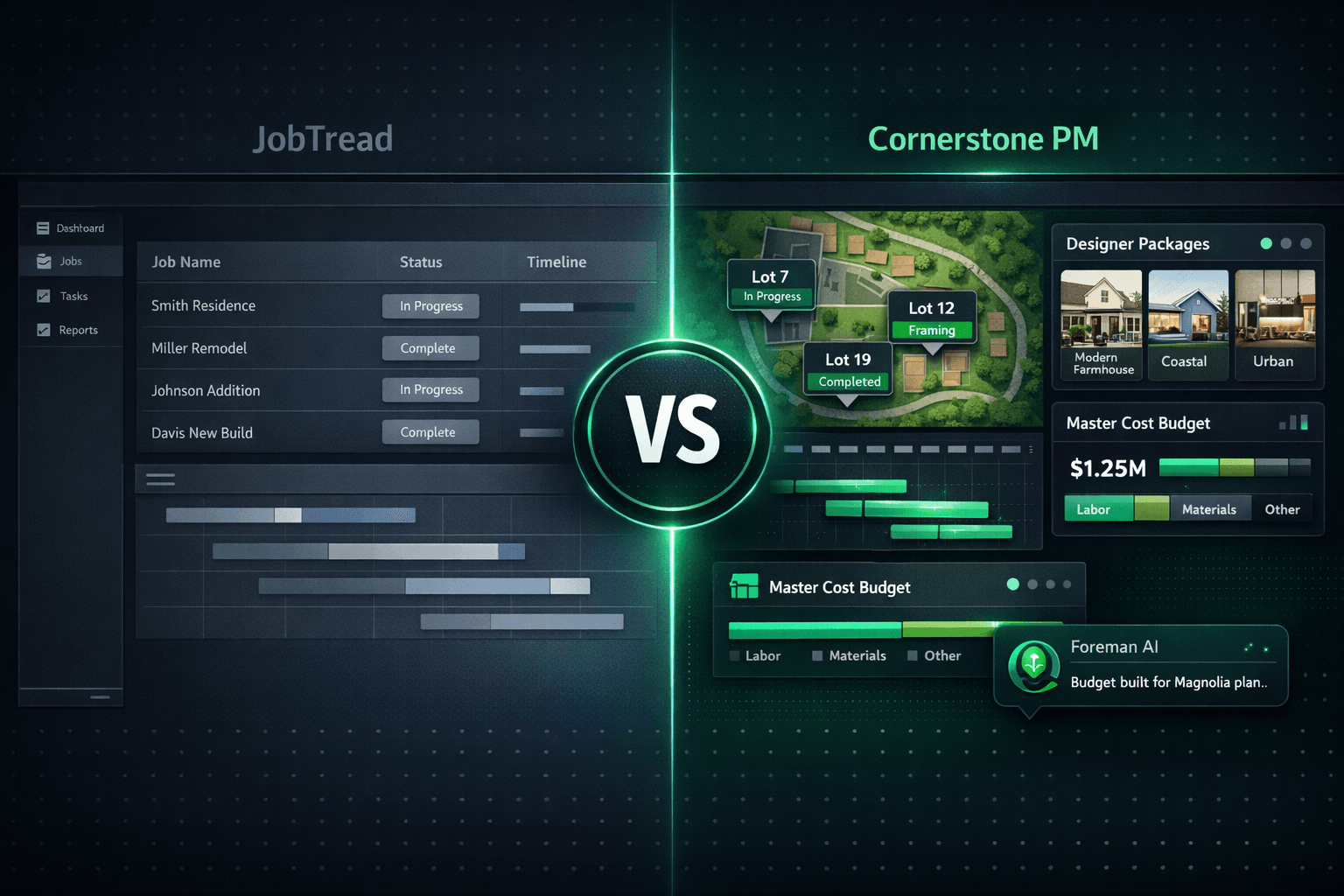
JobTread vs Cornerstone: Job-by-Job Estimating vs Production Building
JobTread is a strong estimating and job-management tool — for general contractors, remodelers, and custom builders who manage one project at a time. If you build the same floorplans repeatedly across multiple communities, production home builder software requires a fundamentally different data model — one built around plan repeats, not job-by-job estimates. That's the core difference between JobTread and Cornerstone PM.
This isn't a teardown. JobTread is a well-regarded platform with a growing user base and genuine strengths in financial tracking, client communication, and custom job costing. But the question isn't whether JobTread is good — it's whether it was built for your business model. A production home builder doing 50 homes a year across three communities has different tooling requirements than a GC running custom one-offs, and the gap shows up everywhere: floorplan management, the design center, automated purchasing, QuickBooks job costing, and AI capabilities.
What does "job-by-job estimating" mean, and why does it matter?
JobTread's model is job-centric: each project gets its own estimate, its own budget, its own scope, and its own workflow. That's the right model for a remodeler or a custom builder where every project is genuinely unique. But production home building isn't unique — it's repeatable by design.
A production builder defines the Magnolia plan once: its square footage, its scope items, its options and upgrades. Then they sell and build it on Lot 4, Lot 12, Lot 27, and Lot 51 — in Riverside Community and again in Oakwood Community. The estimate doesn't change between lots (structurally). The vendor pricing doesn't change unless the builder renegotiates a bid. The floorplan's auto-quantity scope items — frame labor per total sqft, paint per under-air sqft, roof labor per square — reprice every home automatically when the underlying rate changes.
Job-by-job tooling makes you rebuild that estimate for every lot, because it has no concept of a shared plan model. For a production builder doing 50–200 homes a year, that's not a workflow — it's a tax.
Does JobTread have a production home builder design center?
JobTread handles client selections within its custom job workflow. That's a meaningful capability for custom builders who negotiate options per homeowner. But it's a different product category than a production design center — where the same option set is defined once at the plan level and sold across every home of that plan.
Cornerstone PM's Design Center is built for exactly that model:
- 64 Designer Packages across 7 categories— a buyer picks "Modern Farmhouse" and every category option auto-locks to that curated look. No blank checklist, no decision paralysis.
- Exclusion groups— Carpet OR Tile OR LVP OR Hardwood: pick one, category complete. Tools that treat options as independent checkboxes can't model conflicting selections correctly.
- Spec-level upgrade control — promote any individual standard finish to a paid upgrade with a single spec-level change. Granular control down to the option, not just the category.
- Community-based upgrade pricing — the same upgrade can be priced differently in Riverside Community than in Oakwood Community. Area Cost Pricing layers community-level extras on top of base plan pricing automatically.
- Option Classes linked to scope items — a buyer upgrade flows directly to the right cost line in the Master Cost Budget with no double-entry.
Every upgrade price in the design center traces back to accepted vendor pricing — Cornerstone's hard-cost rule means nothing carries a stored or default cost. A line with no accepted bid shows $0 / needs pricing instead of an estimator's guess.
Head-to-head: JobTread vs Cornerstone PM
| Category | JobTread | Cornerstone PM |
|---|---|---|
| Target builder type | Custom builders, remodelers, GCs — one-off jobs | Production & semi-custom home builders — repeatable floorplans |
| Floorplan / plan repeat model | No native floorplan model — each job is built from scratch | Define a plan once; sell and build it across every community and lot |
| Buyer-facing design center | Client selections as part of job workflow | 64 Designer Packages, exclusion groups, spec-level upgrade control |
| AI capabilities | Not an AI-first platform | 5 native AI agents: Foreman (396+ skills), Blueprint AI, Bid Import AI, and more |
| Automated PO generation | Purchase orders available within job workflow | PO auto-generates and emails vendor when a task is scheduled or completed |
| QuickBooks sync | QuickBooks integration available | Native one-way sync; Community = QBO Customer, Home = QBO Project; clean memos |
| Webhook events / API | Integration capabilities | 37 typed webhook events, REST API with 238 total operations, MCP server, BYOA on Pro+ |
| Pricing transparency | Published pricing, per-user model | Published: $149–$599/mo flat; Enterprise from $500/division/mo |
How does Cornerstone handle vendor bidding and automated POs?
Production home building runs on vendor relationships, not lowest-bid auctions. Cornerstone's purchasing module reflects that: you award bids by community — one framer wins Riverside Community, a different framer wins Oakwood Community — and once a bid is awarded it locks so neither party can quietly edit the number afterward.
The automated PO workflow closes the loop. When a task is scheduled and assigned to a vendor, Cornerstone auto-generates the purchase order and emails it to the vendor with the scope, start date, and pricing. When the task completes, an optional linked Bill auto-creates in QuickBooks — closing the PO with no duplicate entry. The vendor's job is to send an invoice. Everything else is automated.
Bid templates go out as scope-filtered Excel files through a no-login vendor portal. Vendors click a link, download their template (only seeing the trades relevant to them), upload their bid, and submit. Side-by-side comparison appears the moment two vendors respond to the same request. No vendor login required, no Cornerstone account needed.
How does Cornerstone's QuickBooks sync compare?
Both platforms offer QuickBooks connectivity. The architectural difference is in how job costing maps to QuickBooks. Cornerstone's one-way sync applies a production-builder model natively:
- Each Community = a QBO Customer (parent). Each Home = a QBO Project (or sub-customer Job on tiers without Projects). Builders get per-home and per-community P&L inside QuickBooks without manual setup.
- Approved POs, change orders, bills, and vendors post automatically — no CSV exports, no manual re-entry.
- Clean transaction memos on every synced record: community, lot, address, PO number, and cost code. A bookkeeper can trace any QuickBooks transaction back to the exact home and trade without leaving QBO.
- Automatic sales tax on materials with labor exempt, carried into QuickBooks exactly.
- The Accounting → Sync Events log shows every push and retry — no black box, no wondering what synced.
Cornerstone stays the source of truth. Changes in QuickBooks never overwrite Cornerstone records. And Cornerstone never auto-pays — payment approval always stays a manual step in QuickBooks, preserving the human pay gate builders need.
What about AI? How does Foreman compare to JobTread's capabilities?
JobTread is not built as an AI-first platform. Cornerstone PM ships five native AI agents as core platform capabilities — not paid add-ons:
- Foreman AI — 396+ construction skills across 20 categories that read and write your live data. Foreman isn't a chatbot — it takes real actions: edits design options, updates vendor pricing, generates profitability reports and vendor scorecards, builds area cost budgets by chat, and runs multi-step purchasing workflows.
- Blueprint AI — reads a floor plan PDF and extracts 130+ material scopes and 3,284+ parts in under 60 seconds. AI takeoff replaces manual quantity counting without reinventing your workflow.
- Bid Import AI — three import modes (takeoff-only, pricing-only, or both), cross-scope penalties so trades stay in their lane, and replace-instead-of-duplicate logic on re-import so the Master Cost Budget stays clean across multiple bid rounds.
- AI MLS Listing Generator — generates buyer-ready listing copy directly from your live floorplan and community data.
- AI Support Agent — answers platform questions around the clock.
Foreman carries per-user and company-wide memory — it remembers your role, preferred vendors, and communication style across every session. Every new Foreman skill ships automatically with no configuration change required.
Webhooks, REST API, and automation depth
Competitors say "webhooks exist" as a checkbox. Cornerstone ships a full catalog of 37 named webhook events with typed payloads, HMAC signatures, delivery logs, and auto-retry — covering home lifecycle events, task scheduling, vendor notifications, cascade schedule changes, sales pipeline updates, and bid requests.
Pro+ adds a full public REST API with 84 dedicated routes, a generic execute endpoint covering all 396+ Foreman skills (238 total API operations), and BYOA — Bring Your Own Agent — so builders can wire external AI tools directly to their construction data. Cornerstone also ships a built-in MCP server so tools like Claude Desktop, Cursor, and Windsurf connect directly to Foreman's full skill set with a single config block.
Who should still use JobTread?
This is an honest comparison, not a takedown. If you're a general contractor running custom one-off jobs, a remodeler managing a handful of simultaneous projects, or a small custom builder where every home is genuinely unique, JobTread is a strong fit. Its financial tracking, client communication, and job-level estimating are well-regarded by that segment for good reason.
The segment mismatch shows up when a production builder — running 20, 50, or 150 homes a year from the same plan set across multiple communities — tries to make a job-by-job tool work as a production platform. You can force the workflow, but you're fighting the data model every step of the way: rebuilding estimates per lot, working around the absence of a plan-repeat model, manually managing vendor assignments per community, and living without a buyer-facing design center.
If you build the same plans repeatedly, production tooling isn't a luxury — it's the only way to scale without growing your administrative overhead at the same rate as your home count.
Frequently Asked Questions
What is JobTread and who is it designed for?
What is the difference between JobTread and Cornerstone PM?
Does JobTread have a buyer-facing design center?
Does JobTread integrate with QuickBooks?
Does JobTread have an AI agent for construction tasks?
Can JobTread handle multiple communities and floorplan repeats?
Is Cornerstone PM a JobTread replacement for production home builders?
Built for plan repeats, not one-off jobs.
Cornerstone PM is the production home builder platform: floorplan-driven budgets, a full buyer design center, automated vendor bidding, one-way QuickBooks sync, and an AI agent that takes real actions inside your data.
Request Early Access