Before Promising an Included Finish: Check the Buyer's Community and Option
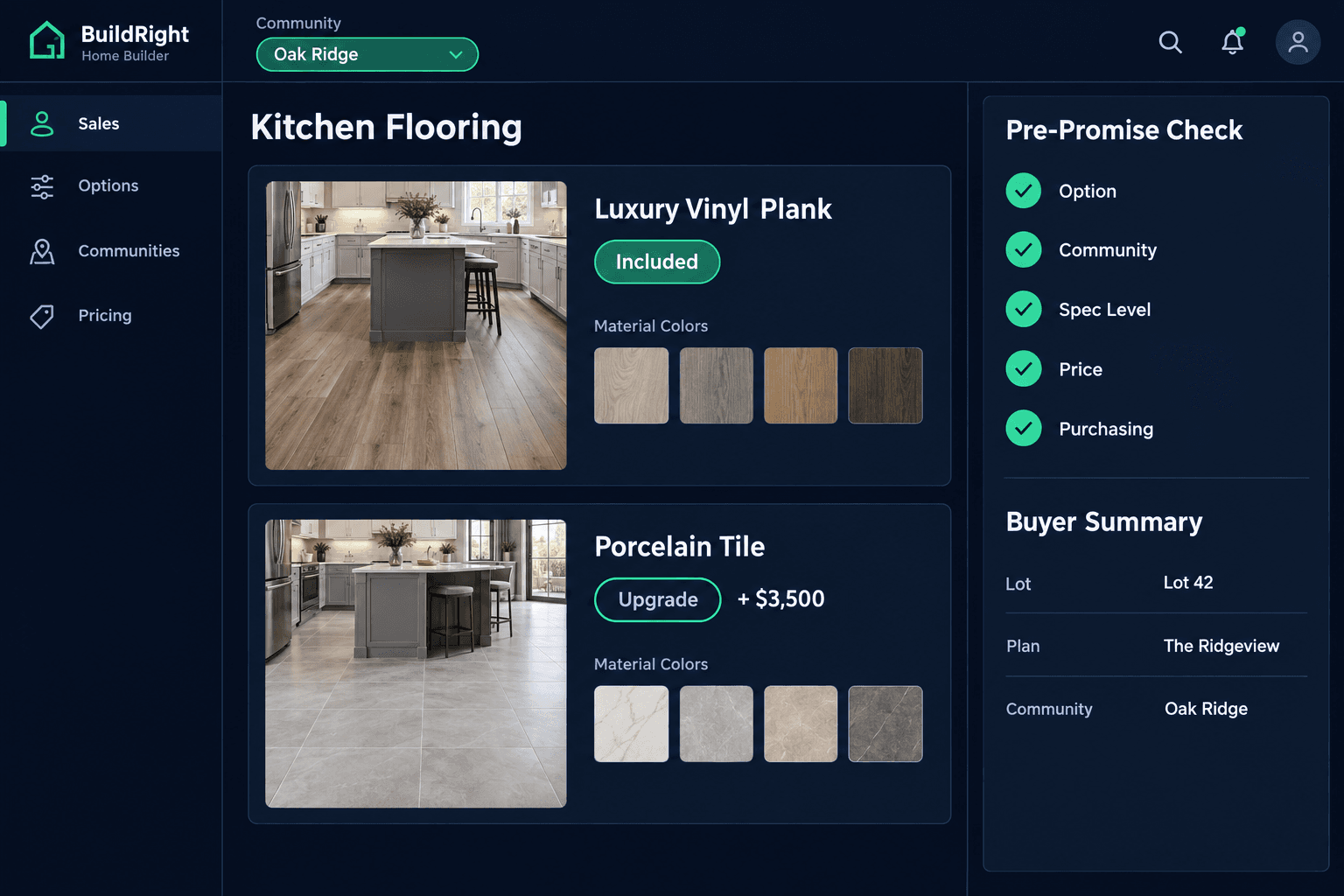
Before you tell a buyer a finish is included, confirm the exact option, the buyer’s community, and whether that option is standard or an upgrade. A model home shows what was built there, not what every contract includes. Your sales answer should come from the records.
The most expensive sentence in a model home is “Oh, that’s included.” A buyer admires the quartz counters or the upgraded flooring, a representative says yes from memory, and weeks later the contract shows an upgrade charge. Nobody was dishonest. The answer just came from the display instead of the option record.
This post describes a recommended pre-promise checklist for your sales team. Cornerstone supports option-level included-versus-upgrade control and community-based upgrade pricing. It is a communication habit, not a contract generator, a late-selection change workflow, or an automatic approval gate.
What should a sales rep check before promising a finish?
Five quick checks cover most of the risk. Run them before you answer, not after the buyer has already heard yes.
The pre-promise checklist
Exact option
The named option, not the finish category
Community
Where the buyer is actually building
Spec level
Included in the package, or an upgrade
Upgrade price
The community price that applies
Open question
Anything to confirm with purchasing
Why can’t the model home answer the question?
Model homes are marketing spaces. They often carry upgrades, designer packages, and display-only items that were never part of a standard package. A buyer pointing at the fireplace surround is asking about an option, and options have names, spec levels, and prices. The display is a starting point for the conversation, not the source of the answer.
Does the community change the answer?
Yes, it can. Upgrade pricing can differ by community, so a number you quoted last week in another neighborhood may not apply. Confirm where the buyer is building before you name a price. Our overview of community-based upgrade pricing explains how that works in the design center.
Do not assume every home shares one package
Different floorplans and communities can carry different standard finishes and prices. Check the specific home before you generalize from another one.
How do you tell included from upgrade?
Look at the option’s spec level. An included option is part of the standard package, while an upgrade carries a price. If you are not sure how options are organized, read about option classes and scope-linked design options, and see how a standard finish can be promoted to an upgrade. The design center is where these records live.
What if the records are unclear?
Say so. “Let me confirm that with purchasing and get back to you today” protects the buyer and your reputation. Ask purchasing which option applies, whether the display item matches a real option, and what the community price is. A short delay costs far less than a corrected quote after the contract.
What should you tell the buyer?
Share what you confirmed in plain terms: the option name, whether it is included, and the price if it is an upgrade. Jot down what you checked so a colleague can trace the answer later. If the buyer wants to change a selection after the contract, that is a separate process, so keep this checklist focused on the promise itself.
Check the exact option, the community, the spec level, and the price, then answer. That habit keeps your sales promises matching what the builder can deliver.
Answer buyers from the records, not memory.
Keep options, spec levels, and community pricing connected to your sales workflow.
Request Early Access