The Crew Didn't Show Up: A Subcontractor No-Show Checklist for Home Builders
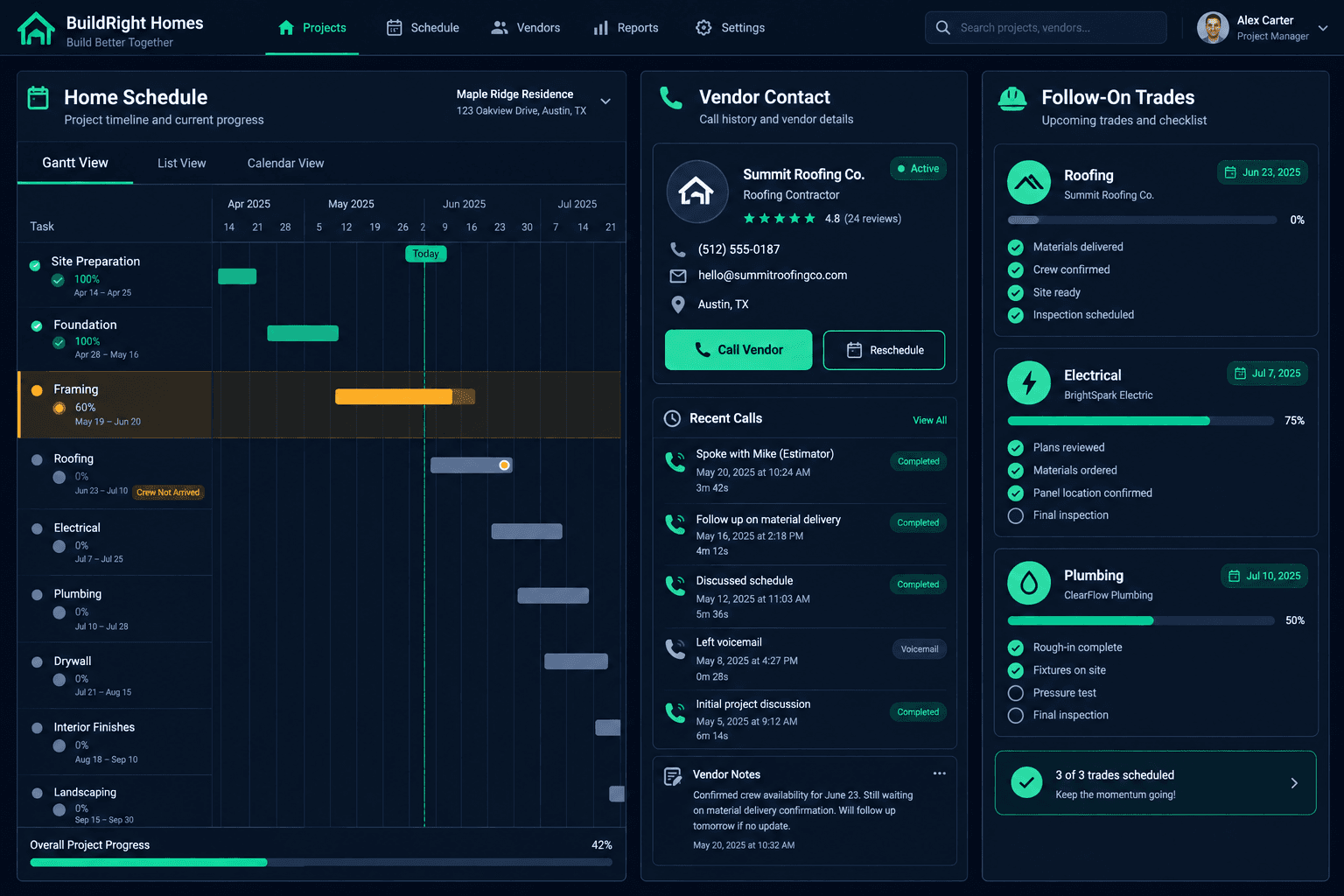
When a subcontractor crew does not show up, confirm the site and start date first, then call the vendor for a committed arrival time. Your home schedule tells you who is affected; the recovery is a set of phone calls and clear notes.
A missed start rarely stays one day. The next trade is lined up behind the crew that did not arrive, the buyer is expecting progress, and every hour of silence makes the reset harder. The builders who recover fastest follow the same short sequence every time instead of improvising.
Is the crew really a no-show?
Before you escalate, rule out the easy explanations. Open the home schedule and confirm the planned start date and the assigned vendor. Check that the crew was not sent to a different lot in the same community, and that nobody changed the arrival time by phone. Walk the site if you are not already there. Five minutes here prevents an awkward call to a vendor who is already on another street.
What should you say when you call the vendor?
Ask for a specific time, not a promise. "When will a crew be on this lot?" gets a better answer than "are you still coming?" Write down what they say, the time you called, and who you spoke with. If you reach voicemail, leave the lot address and the task, then try the vendor's office or estimator. A written record also matters later when you review vendor performance or decide whether to replace a subcontractor mid-build.
Could your own site be the reason?
Many no-shows trace back to the builder side: predecessor work that was not finished, a blocked driveway, or materials that never arrived. Check readiness and confirm required materials with purchasing. If the vendor stayed away because the lot was not ready, fix that first and say so plainly. It keeps the relationship intact and gets the crew back faster.
Cornerstone will not flag the miss for you
The schedule shows who is assigned and when. A person confirms whether the crew arrived and decides what happens next.
How do you protect the trades behind the miss?
Look at which tasks depend on the missed work and warn those vendors early, ideally the same morning. Tell them the date you are working toward and that you will confirm it once the vendor commits. Do not move later trades until you have that commitment. Shuffling several crews on a guess creates the second and third no-show.
How do you reset dates and keep a record?
When the vendor commits to a new arrival, update the home schedule. Connected schedule changes carry the new dates to follow-on trades so you can see who is affected, then you confirm with each of them. Tell the sales contact or buyer whose home moved. Finally, log the event: the planned date, the vendor's explanation, and the new date. Patterns across several homes are what tell you when a vendor needs a harder conversation. For the broader picture, see how home builder project management software connects schedules, vendors, and purchasing.
A quick no-show checklist
- Confirm the date, lot, and vendor, then walk the site.
- Call the vendor and record a committed arrival time.
- Verify site readiness and materials on your side.
- Warn the dependent trades; hold their moves until confirmed.
- Update the schedule, notify the buyer contact, and log it.
Make the same recovery every time
A no-show is frustrating but manageable when the response is routine. Keep this checklist handy and use the construction hub to see how connected home schedules help you see the ripple effect quickly.
See every home schedule in one place
Cornerstone PM connects home schedules, vendor assignments, and purchasing so your team can see who is affected when a date slips.
Request Early Access