A Failed Inspection Is on the Schedule: Re-Sequence the Trades Behind It
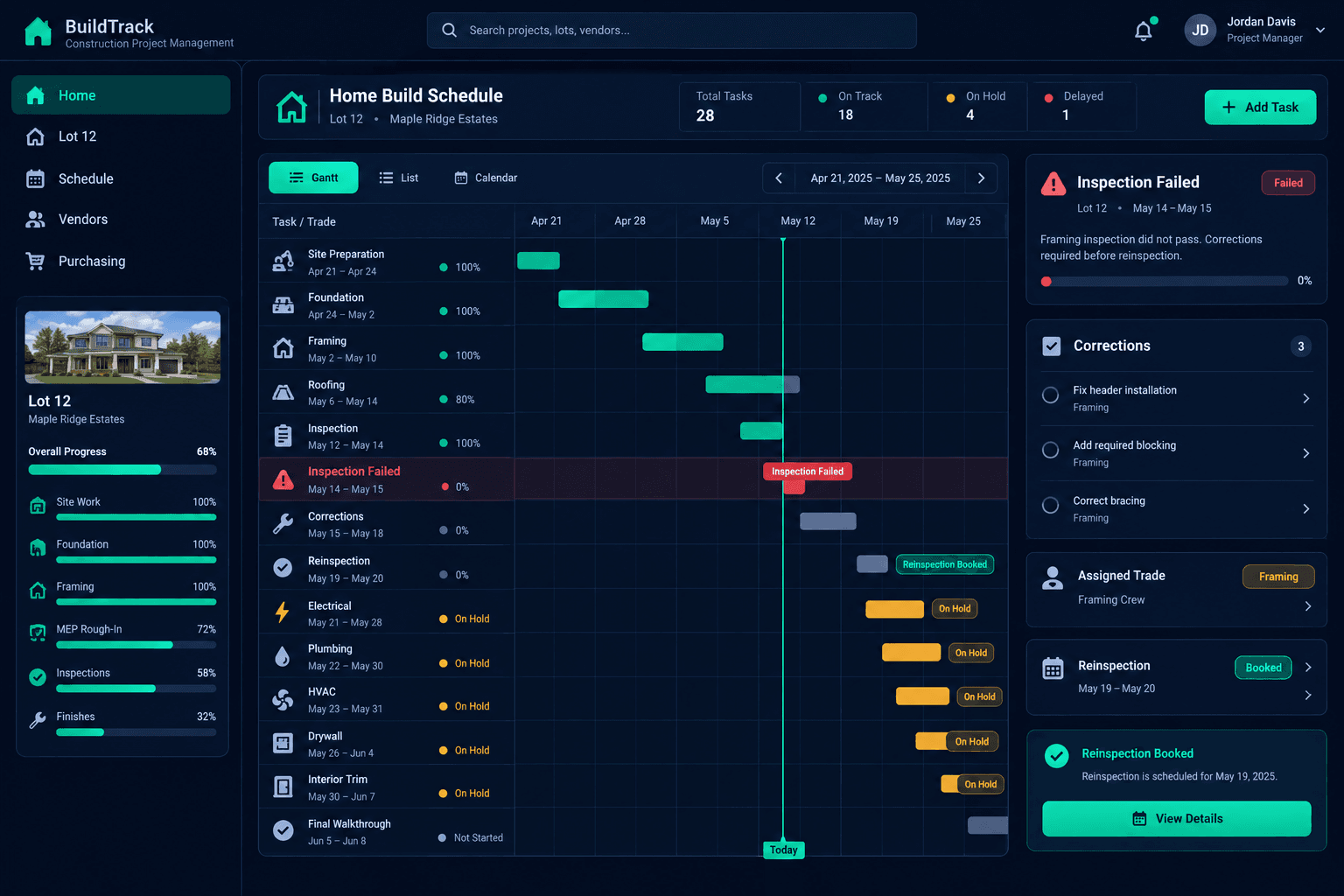
When an inspection fails, record the correction items, assign each one to a trade, hold the trades waiting behind it, and rebook the reinspection only when the work is confirmed finished. Then move every follow-on date in your home schedule.
A failed inspection rarely costs only the correction. The trades scheduled to start next are standing by, deliveries may already be booked, and the reinspection date depends on someone else's calendar. Without a clear order of operations, the superintendent spends the day on the phone and the schedule quietly goes stale.
This is an operational checklist, not guidance on what passes an inspection. Requirements come from your jurisdiction, your plans, and your inspector. The checklist keeps the recovery organized.
What should you do first when an inspection fails?
Capture the result before anything else. Note which inspection failed, the date, and the correction items in the inspector's own words. Paraphrasing creates arguments later about what was actually required. Attach the report or a photo of it where the whole team can see it.
Failed inspection recovery review
Correction items
Listed exactly as the inspector wrote them, with the report attached
Correction owners
Each item assigned to a trade with a target date
Waiting trades
Every task that was set to start after the inspection, placed on hold
Reinspection request
Requested only after the superintendent confirms the work is done
Follow-on dates
Dependent tasks and material deliveries moved to match
Who fixes each correction, and by when?
Match every correction item to the trade responsible, then confirm that trade can come back and give a target date. Keeping the assigned vendor on each home visible in Cornerstone saves the hunt for a phone number. If a trade cannot return in time, the decision about whether to bring in someone else belongs to the superintendent, and our mid-build replacement checklist covers that call.
Which trades need to be held?
Look at the home's schedule and list every task set to begin after the failed inspection. Those are the trades who will show up on a date that no longer works. Tell each one directly that the start is on hold, why, and when they will hear the new date. Vague notices produce no-shows and angry calls.
Because a delay in one task can ripple through a home, cascade scheduling is worth understanding before you start dragging dates around.
A recommended practice, not an inspection tool
Cornerstone does not evaluate inspection results or decide what passes. The schedule is the shared reference. People confirm the corrections and request the reinspection.
When should you request the reinspection?
Request it after the superintendent has confirmed in the field that the corrections are finished, not when the trade says they are coming back. A second failure costs more time than waiting a day to verify. Record the new date and who made the request, so the next person looking at the home knows where things stand.
What follow-on dates and deliveries need to move?
Once the reinspection date is known, move the dependent tasks, then check material deliveries and vendor start dates tied to them. A delivery that lands before the work is cleared becomes a storage and coordination problem. When the delay is driven by weather as well, the weather delay communication checklist helps you give every trade a clear next step.
How does Cornerstone support the recovery?
Cornerstone keeps the home schedule, assigned vendors, and purchasing records connected, so the person running the recovery is working from one place. Updating the construction schedule and notifying the right people is faster than reconciling a whiteboard and a text thread, though the confirmations still come from your team.
Recover the schedule with one shared plan.
See how Cornerstone connects the home schedule, vendor assignments, and purchasing for every home you build.
Request Early Access