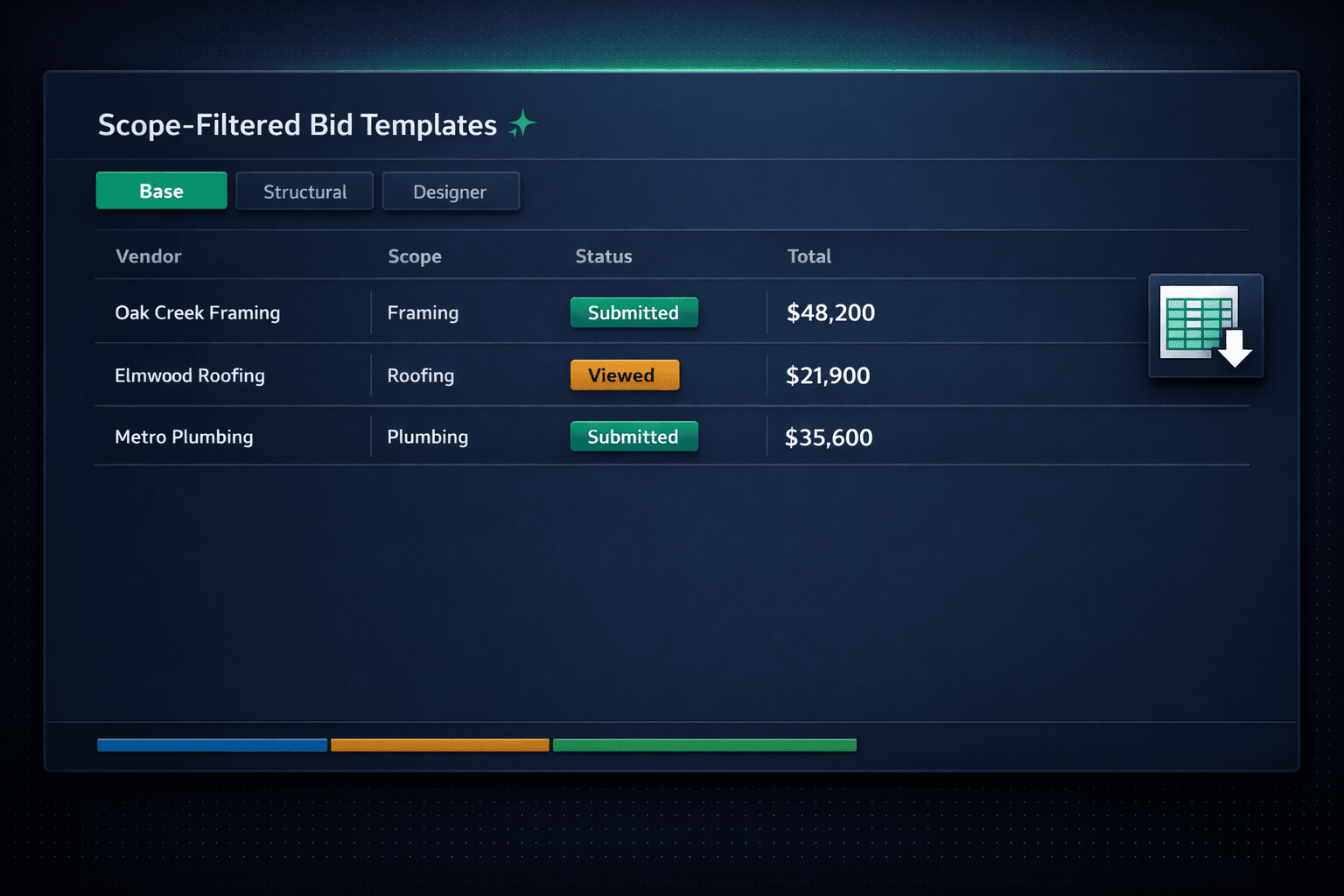
Stop Cleaning Up Vendor Quotes: Scope-Filtered Excel Bid Templates
Quote comparison breaks down the moment every subcontractor returns a different spreadsheet. Cornerstone's purchasing module fixes that at the source: every vendor gets an auto-generated Excel template already filtered to their scope, so quotes come back in one consistent shape instead of five incompatible ones.
Ask five subcontractors to price a scope with no template, and you get five different spreadsheets — different units, different row order, different levels of detail, sometimes a line item that belongs to a trade that isn't even the one you asked. Someone on your team then spends an hour retyping numbers into a single comparison sheet before the actual decision can be made. Scope filtering removes that hour entirely.
One trade, one tab — never all scopes in one sheet
A framing vendor's workbook shows framing rows. A roofing vendor's workbook shows roofing rows. Nobody has to scroll past 40 irrelevant line items to find the ones that matter to them.
Same columns, same units, every vendor
Quantity, unit, unit cost, and total line up identically across every submission for a given scope, so comparison is a read, not a rebuild.
No vendor account required
A token-protected link handles the entire round trip — download, upload, submit or decline — without asking a subcontractor to remember another password.
Submitted locks the number
Once a vendor submits, the bid can't be quietly edited. The number your team compared is the number that gets awarded.
Why does quote comparison break down without a shared template?
A framing crew, a roofing supplier, and a plumbing sub don't think about a project the same way. Left to their own format, each one builds a spreadsheet around how they estimate their own work — which means the columns don't match, the units don't match, and the line items rarely map cleanly onto each other. That's fine for a single quote. It falls apart the moment you need to put two or three quotes for the same scope side by side.
The usual fix is manual: someone retypes every vendor's numbers into one master comparison sheet, hoping they matched the right row to the right line item. That step is slow, it's error-prone, and it has to happen again on the next bid round when pricing changes.
How does a scope-filtered template solve it before the vendor even opens it?
Cornerstone generates the workbook with three tabs — Base, Structural, and Designer — and only populates the rows that match the invited vendor's scope. A framing vendor's copy shows framing rows. A roofing vendor's copy shows roofing rows. Nobody scrolls past forty irrelevant line items looking for the ones that apply to them, and nobody prices a line that belongs to a different trade.
Because every vendor bidding the same scope gets the identical column structure and row order, the comparison problem is solved before a single quote comes back. There's nothing to reconcile — the shape of the data is already the same.
What does the vendor actually experience?
No new account, no password to remember. The bid request emails a token-protected link straight to the vendor. They click through, download their scope-filtered Excel template, price it on their own schedule, and upload the completed workbook — plus any supporting PDF or CSV documentation — through that same portal. They can add notes, then submit or decline. Once they submit, the bid locks; there's no quiet edit to a number your team already reviewed.
For a closer look at what happens after a vendor opens that link, see sending a bid request to 10 vendors in one click, and for how to track where each invitation stands, see invited, viewed, submitted, declined.
Does a standard template mean the lowest number automatically wins?
No — standardizing the format only makes the numbers easy to read side by side. It doesn't choose a winner. Your team still reviews scope alignment, checks assumptions, and decides which vendor gets the award for each community. What the template removes is the friction of getting to that comparison in the first place — not the judgment call at the end of it. For a detailed look at building that comparison, see bid leveling for home builders.
What happens to the numbers after an award is made?
Once a vendor is awarded, the accepted pricing locks and flows into the Master Cost Budget and downstream purchase orders — no re-keying the numbers a second time because they were already structured correctly on the way in. If a vendor never responds to the request in the first place, standardized templates won't fix that on their own; see why your subcontractors ignore your bid requests for the other half of that problem.
Give every vendor a template built for their scope.
Auto-generated Base, Structural, and Designer tabs, a no-login vendor portal, and side-by-side comparison the moment bids come in.
Request Early Access